

Quick answer: For proper envelope addressing, place your return address in the top-left corner. Center the delivery address on the face in ALL CAPS with no punctuation, using USPS-standard abbreviations and ZIP+4 where possible. Keep the bottom 5/8 inch completely clear for the USPS barcode. For window envelopes, the address on the document inside must show through the window with 1/8-inch clearance on all four sides. Getting any of these wrong can delay, surcharge, or return your mail.
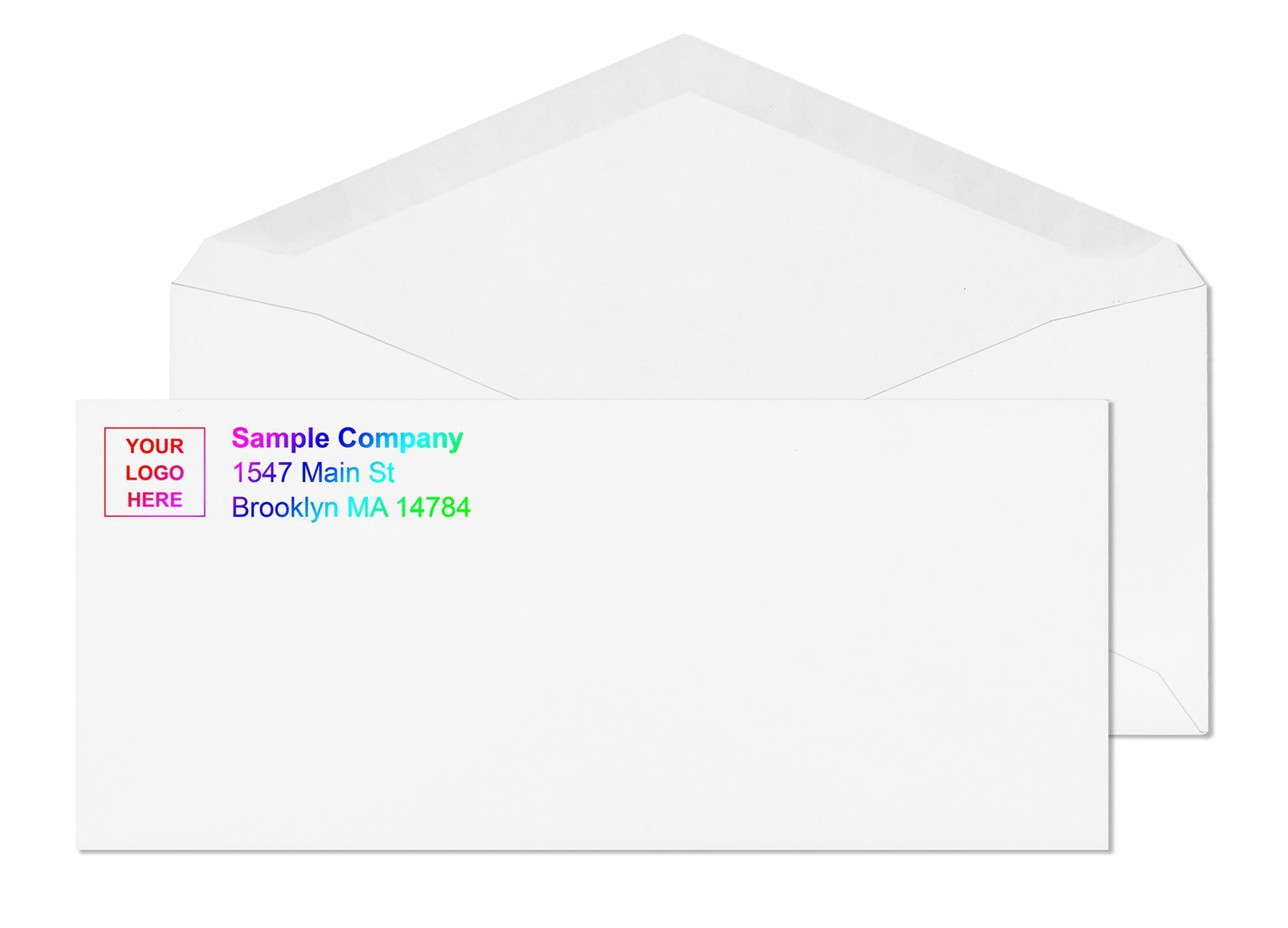
Proper envelope addressing seems simple until something goes wrong: invoices returned as undeliverable, a payroll check delayed by a missing suite number, or a client who never receives a time-sensitive document. The United States Postal Service processes roughly 167 million pieces of mail every single day using high-speed automated sorting machines that read your envelope in fractions of a second. These machines are not forgiving of errors. A misplaced address, a return address in the wrong corner, or text sitting inside the barcode zone at the bottom of the envelope can trigger sorting failures, routing errors, and returns that cost your business time and credibility.
This guide covers everything you need to know, verified against current USPS Publication 28 and Domestic Mail Manual standards, so your mail goes out right and arrives on time.
Why Format Matters More Than You Think
Most people treat addressing an envelope as a style decision. USPS treats it as an operational requirement. That distinction is important because the consequences of getting it wrong are real and they repeat.
USPS automated sorting equipment uses Optical Character Recognition (OCR) to read the delivery address and route each piece to the correct facility. These systems are calibrated for specific text characteristics: position on the envelope face, character height, font clarity, and the absence of competing content in the read zone. When an address falls outside those parameters, the piece fails to scan, gets flagged for slower manual handling, or routes to the wrong facility entirely.
Address format also affects postage cost directly. USPS classifies mail that does not meet automation requirements as non-machinable, which triggers an additional surcharge per piece on top of standard postage. For a business running regular batch mailings, non-compliant addresses add unnecessary overhead that is entirely avoidable with the right format. For the full breakdown of what triggers the surcharge, see Non-Machinable Envelope Guide: Surcharge Rules Explained.
There is a data integrity dimension too. USPS reports that approximately one in every six American families moves each year. An address list even a few months old can contain stale records. USPS requires address accuracy to be verified within 12 months of the mailing date to qualify for commercial mail pricing. Format correctness and address accuracy work together: one without the other still creates deliverability problems.
The Three Functional Zones of a Business Envelope
Before you write a single thing on an envelope, understand that the front face is divided into three zones, each with a fixed purpose. Content placed in the wrong zone causes processing problems regardless of how accurate the information itself is.
- Zone 1, top-left corner: your return address. Start approximately a quarter inch from the top edge and a quarter inch from the left edge. This is your business name, street address, and city, state, ZIP. It tells USPS where to send the envelope back if it cannot be delivered to the recipient.
- Zone 2, center face: the delivery address. This is the zone OCR machines read. The delivery address block must be centered horizontally on the envelope face. Per DMM 202, the top of the delivery address should be no more than 2-3/4 inches from the bottom of the envelope, and the bottom of the address should be no less than 5/8 inch from the bottom edge. Keep the address at least one inch from each side of the envelope.
- Zone 3, top-right corner: postage. Reserved entirely for stamps, postage meter marks, or permit imprints. Nothing else should appear here.
How to Format the Delivery Address Correctly
USPS defines a complete address as one that includes all elements for an exact match with the ZIP+4 and City State files. Every detail tells the postal system precisely where the envelope goes, formatted in a way the OCR system can read without ambiguity.
For standard business-to-business mail, the correct format looks like this:
A real-world example:
Three rules here that directly affect OCR scan accuracy:
- All capital letters throughout the delivery address. USPS Publication 28 recommends ALL CAPS because OCR scanning systems read uppercase characters with measurably higher accuracy than mixed case. For business mail, this is the correct standard, not just preference.
- No punctuation except the hyphen in a ZIP+4. Write CHICAGO IL 60601, not Chicago, IL 60601. Write STE 200, not Ste. 200. USPS explicitly states that commas, periods, and other punctuation should be omitted from the address block.
- Standard USPS abbreviations only. Street is ST. Avenue is AVE. Boulevard is BLVD. Drive is DR. Suite is STE. Northwest is NW. The complete approved list lives in USPS Publication 28, Appendix C.
ZIP Codes and Why ZIP+4 Actually Matters
A standard five-digit ZIP code routes mail to the correct post office. The ZIP+4 extension, the four digits after the hyphen, routes mail to the specific delivery block, carrier route, and in many cases the individual delivery point. Mail with a validated ZIP+4 moves through fewer sorting stages and arrives faster than mail with only five digits.
For businesses mailing in any regular volume, this is not a minor detail. USPS requires address accuracy to be verified within 12 months of the mailing date to qualify for automation pricing on commercial First-Class Mail and USPS Marketing Mail. Running your address list through USPS verification tools catches transposed digits and outdated records before they become returned mail.
The USPS ZIP Code Lookup tool at usps.com finds the correct ZIP+4 for any US address in seconds. For larger databases, USPS-approved CASS-certified address verification services batch-validate addresses automatically, which is the standard approach for billing departments and direct mail operations.
CASS Certification and Address Verification Explained
CASS stands for Coding Accuracy Support System. It is the USPS program that certifies address hygiene software as capable of standardizing, correcting, and validating mailing addresses against the official USPS address database. A CASS-certified address has been matched to the USPS master file, standardized to Publication 28 format, and assigned a confirmed ZIP+4 delivery point code.
For businesses running commercial First-Class Mail or USPS Marketing Mail programs, CASS certification of the mailing list is not optional if you want automation pricing. USPS requires that the address list be processed through a CASS-certified system within 12 months of the mailing date.
For smaller operations and individual business envelopes, CASS-level validation is not required but the underlying goal is the same: confirm that every delivery address on every piece is a real, current, deliverable address before you print and mail. A single bounce from an address verification check is cheaper than a piece of returned mail.
Return Address: What Is Required and What Is Smart
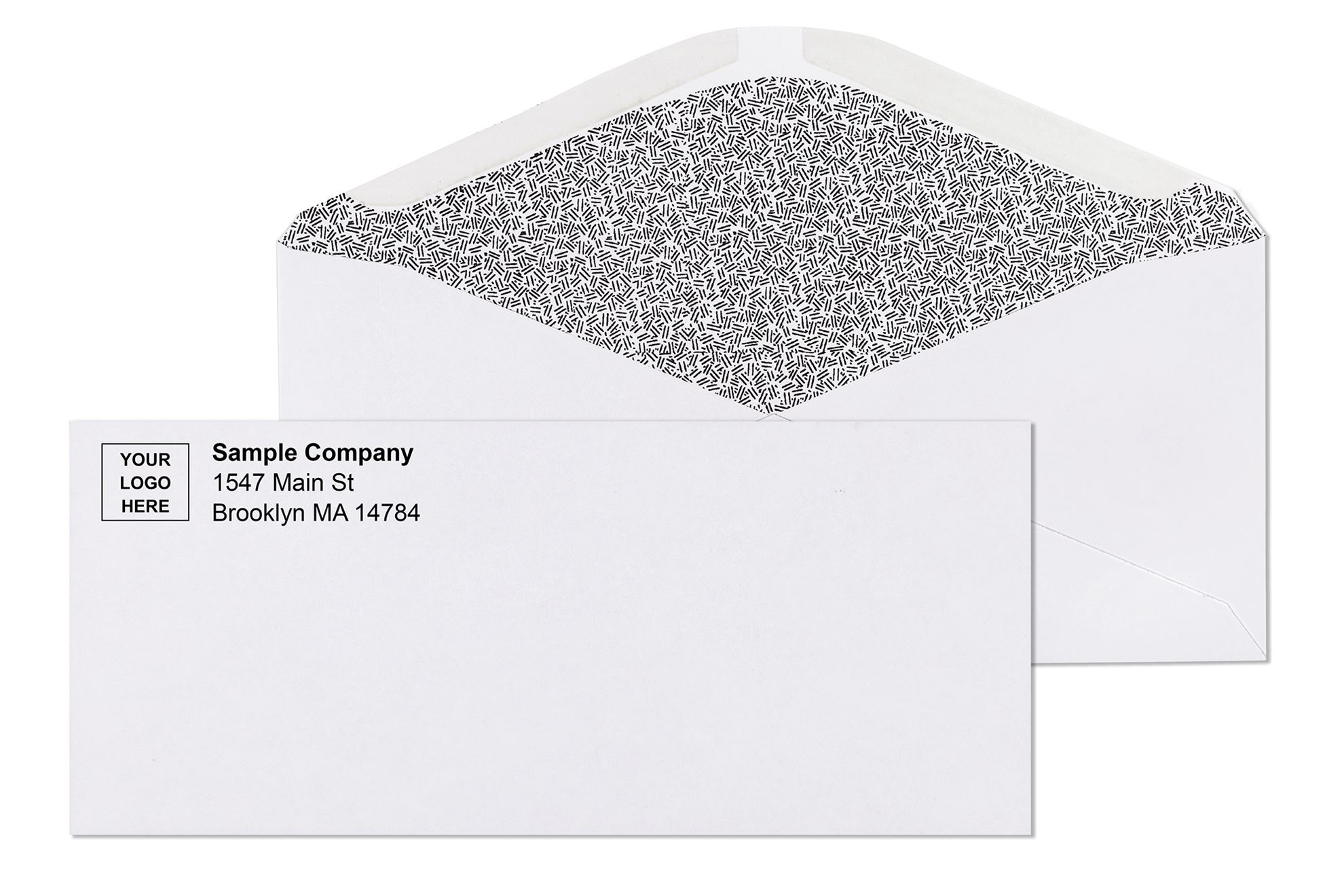
USPS does not technically require a return address on most standard letter mail. But omitting it means any undeliverable piece goes to the dead letter office: you have no record of the failure, no way to correct the address, and no chance of recovering the piece or retrying the mailing. For business mail, a return address is effectively non-negotiable.
Place it in the top-left corner of the envelope face, a quarter inch from the top and left edges. Three lines is the standard for most business return addresses:
Keep it concise. The return address does not need a phone number or contact name: those belong on the letter inside. Three clean lines in the correct position is all it needs to do its job.
If you mail regularly and want the return address to appear correctly on every piece without applying labels or printing on each envelope individually, custom printed envelopes with your return address and logo pre-printed handle that automatically. The return address is always correctly positioned, always accurate, and the manual step disappears from your workflow entirely.
How to Print or Label a Return Address on an Envelope
There are three practical ways to get a return address onto an envelope correctly. The right choice depends on your volume, equipment, and whether the address changes between mailings.
- Custom printed envelopes (best for recurring mailings). Your return address, logo, and any brand elements are printed on the envelope during manufacturing. The position is always correct, always legible, and no additional step is required at mailing time. This is the standard for any business sending consistent outgoing mail. No minimum order applies at Business Envelopes. For a full guide to printing options, file requirements, and the proof process, see Custom Printed Envelopes: What Gets Printed, How It Works and Why It Matters.
- Laser or inkjet printer (best for variable or occasional mailings). Print the envelope directly through a standard office printer. USPS allows printed return addresses in any readable font. For step-by-step guidance on printer settings and positioning for common envelope sizes, see How to Print Return Address on Envelope: Full Guide.
- Self-adhesive return address labels. Applied to the top-left corner of the envelope face. Works for low-volume or occasional mailings where printing is not practical. Labels must sit within the return address zone and must not extend into the delivery address area or top-right postage zone.
Window Envelope Addressing: No Writing Required
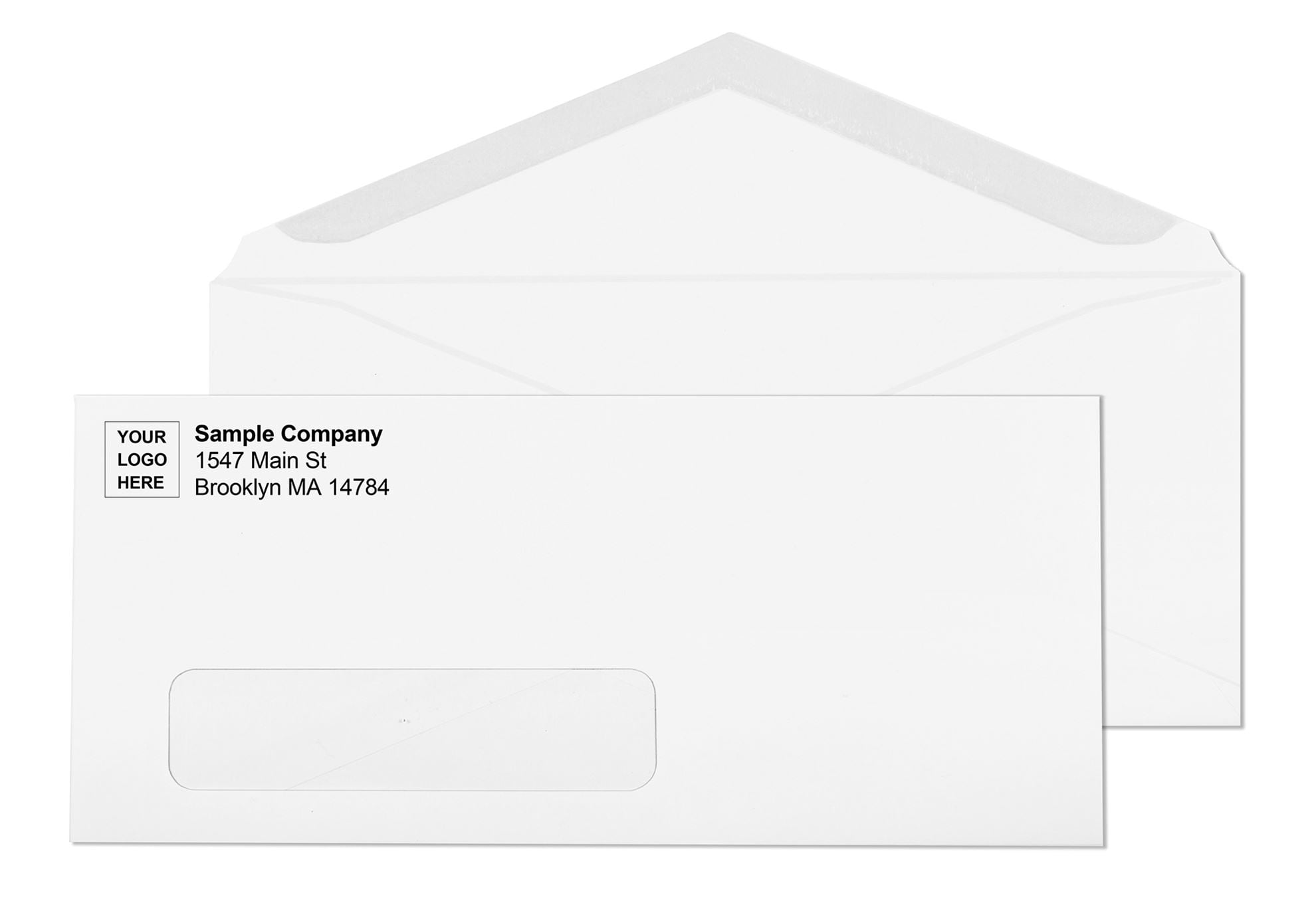
For billing departments, accounts payable teams, and any operation running invoices or statements through accounting software, window envelopes change the addressing process entirely: because the envelope itself never gets addressed at all.
A window envelope has a transparent opening positioned in the lower-left area of the envelope face. The recipient's address, already printed on the document inside, shows through the opening. USPS OCR systems read it directly from there. No labels, no handwriting, no printing step on the envelope.
USPS has specific requirements for window envelope address visibility under Domestic Mail Manual 601. The enclosure must not be stapled to prevent the address from slipping out of the window view. The full address must be visible with at least 1/8-inch clearance on all four sides of the window opening. If any character is cut off by the window edge, the piece does not qualify for automated processing.
Always test alignment before any large batch. Print one document, fold it exactly as it will be folded in the full run, insert it, and hold the sealed envelope up to a bright light. Full address visible? Clearance on all four sides? No sensitive information visible through the envelope body around the window? All yes means the batch is ready.
For check mailing, double window envelopes add a second opening for the return address, also coming from the document inside. Both addresses come from the check form itself when printed and folded correctly. Nothing gets written or printed on the envelope at all. For the full alignment guide, see Window Envelope Address Alignment: How to Fix It for Any Software or Printer.
PO Box Addressing: When and How to Use It
A PO Box address instructs USPS to hold mail at the post office for pickup rather than delivering to a physical street location. The format for a PO Box delivery address is simple:
A few rules that apply specifically to PO Box addressing:
- Use PO BOX (two words, no punctuation). Not "P.O. Box" or "Post Office Box." USPS Publication 28 specifies PO BOX as the correct abbreviation in the delivery address block.
- Do not combine a street address and a PO Box on the same envelope. USPS delivers dual-addressed mail to whichever address appears immediately above the city and state line. If you list both, delivery destination is determined by line position, which may not match your intent. Use one address type per piece.
- ZIP+4 for PO Boxes. Every PO Box has a unique ZIP+4 that routes mail directly to that box. Look it up through USPS ZIP Code Lookup before adding the address to your list.
APO, AE, and Military Mail Addressing
Mail sent to US military personnel overseas uses a specialized addressing format that routes through USPS to US military mail facilities. The format follows the same USPS structure as domestic addressing but uses specific designators in place of city and state.
The three primary designators are:
- APO , Army Post Office (used for Army and Air Force locations)
- FPO , Fleet Post Office (used for Navy and Marine locations)
- DPO , Diplomatic Post Office (used for State Department and Foreign Service locations)
The state code field uses AE (Armed Forces Europe, Middle East, Africa), AP (Armed Forces Pacific), or AA (Armed Forces Americas). Military mail qualifies for First-Class Mail rates. Standard envelope sizes apply. USPS processes military mail identically to domestic mail up to the overseas routing point.
Addressing Mistakes That Cause Real Problems
These come up consistently in business mailing operations of every size, and each one has a direct, predictable consequence.
- Missing suite number. In a commercial building, an address without a suite number may route correctly to the building but become undeliverable once it arrives. The carrier has no way to determine where inside the building it belongs. Always include the suite number on the street address line.
- Both a street address and a PO Box listed together. USPS delivers dual-addressed mail to whichever address appears immediately above the city and state line. If you list both, delivery destination is determined by line position, which may not match your intent. Use one address per piece.
- Dark or heavily patterned envelope. USPS Domestic Mail Manual 202 specifies that envelopes should be light-colored, white or pastel, with dark ink to ensure OCR readability. Brilliant colors, dark backgrounds, or overall printed patterns can prevent scanning equipment from reading the delivery address accurately.
- Content printed in the barcode clear zone. Decorative borders, taglines, website addresses, or any design element in the bottom 5/8 inch of the envelope face will conflict with the USPS-applied delivery barcode. The piece will be rejected from automated processing and face slower manual handling.
- Wrong line sequence in the delivery address. USPS OCR systems read the delivery address bottom-to-top: city, state, and ZIP first, then street, then name. If lines appear in the wrong order, the system reads incorrect information in each position. The format structure above must be maintained.
Envelope Size and USPS Classification
Getting the address format right only matters if the envelope itself qualifies for the postage class you are mailing at. USPS letter-rate processing requires envelopes to meet these specifications:
- Rectangular in shape
- Between 5 and 11.5 inches long
- Between 3.5 and 6.125 inches high
- No more than 1/4 inch thick
- Flexible, not rigid
- Maximum weight of 3.5 ounces
The #10 business envelope measures 4-1/8 x 9-1/2 inches and sits comfortably within these parameters for standard correspondence. USPS also requires a height-to-length ratio between 1:1.3 and 1:2.5. Envelopes outside this ratio carry a non-standard surcharge.
Non-rectangular envelopes, rigid pieces, and envelopes with exterior clasps or fasteners are classified as non-machinable and carry an additional surcharge on top of base postage. For a complete breakdown of every envelope size and its postage classification, see Envelope Sizes Chart: Every Commercial, Catalog, Coin and Check Size Explained. For postage by format, see How Many Stamps Do I Need? Complete Guide by Envelope Size.
Double Window Envelopes and Addressing Without Any Manual Steps
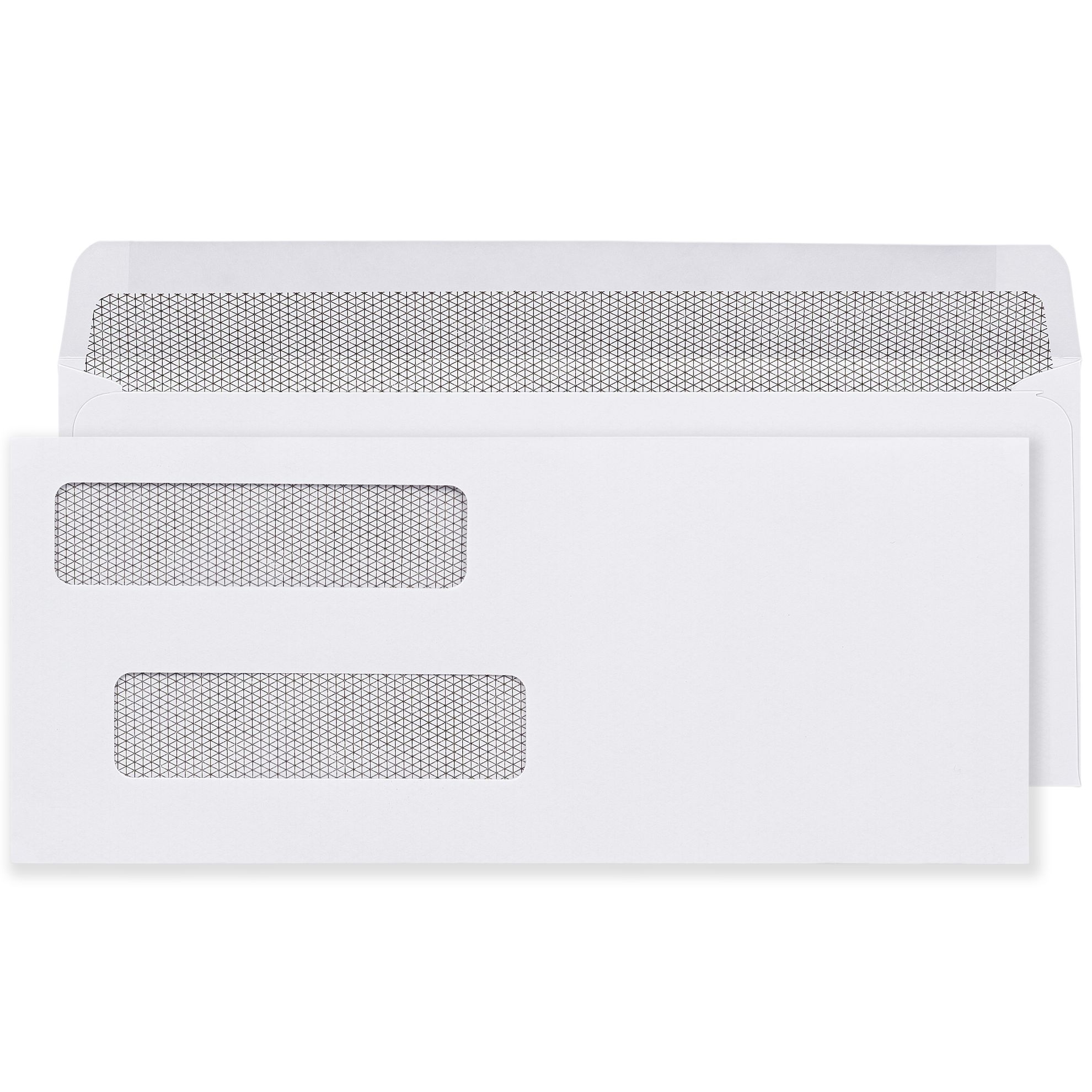
Double window envelopes take the window addressing concept one step further. A second window opening on the upper-left of the envelope face shows the sender's return address, also printed on the document inside. Both addresses come entirely from the printed check or invoice form. Nothing is written, labeled, or printed on the envelope itself at any point in the mailing process.
For payroll, accounts payable, and any check mailing program using QuickBooks, ADP, Sage, or similar accounting software, double window envelopes eliminate the addressing step entirely while keeping both address zones in exactly the positions USPS OCR systems expect them.
The alignment between the check form's address positions and the two window openings must be confirmed before any batch run. For the complete guide, see Double Window Envelopes: Complete Guide for Checks, Payroll and Invoices.
Where to Get Business Envelopes
Getting the addressing format right starts before you write anything: it starts with having the right envelope. Size, window position, paper weight, and seal type all determine whether your correctly addressed mail processes cleanly through USPS equipment.
Business Envelopes has been supplying US businesses with professional envelope inventory since 1997. Every product in the catalog is built to current USPS compliance standards across size, weight, and material specifications. The range covers every standard business addressing scenario:
- #10 envelopes , blank and custom printed, window and non-window, gum flap and self-seal, standard white and security-tinted. The most commonly ordered envelope in US business mail.
- Window envelopes , single and double window, positioned to USPS OCR zone specifications and compatible with standard billing and accounting software.
- Custom printed envelopes , logo, return address, and brand colors pre-printed for consistent, professional presentation on every piece of outgoing mail.
- Self-seal envelopes , peel-and-seal and flip-and-stick options for fast, clean hand sealing without moisture.
- Regular envelopes , for personalized, individually addressed correspondence where a clean, professional presentation matters most.
No minimum order applies across the entire catalog. Free ground shipping applies site-wide. For the complete step-by-step mailing process, see How to Mail a Letter: Step-by-Step Guide for Business and Personal Mail.
What Customers Say About Business Envelopes
★★★★★ Jacob, Verified Buyer | #10 White Wove Printed Envelopes
"I am very pleased with these envelopes and will order again! Great product and shipped very well! Better than I get from local office supply and a better value!"
★★★★★ Gitty, Verified Buyer | #10 White Wove Printed Envelopes
"Great quality basic envelopes at great price! Thank you!"
★★★★★ Shaindy, Verified Buyer | #10 Window White Wove Printed Envelopes
"Super quality! Great product."
Conclusion
Proper envelope addressing is a USPS compliance requirement with direct consequences for delivery rates and mailing efficiency. Return address in the top-left corner. Delivery address centered on the face in all-capital letters without punctuation, using USPS-standard abbreviations, with the suite number on the street line and ZIP+4 wherever possible. Bottom 5/8 inch of the face kept completely clear. Window envelope addresses visible through the opening with 1/8-inch clearance on all four sides. Addresses validated within 12 months to qualify for automation pricing.
Every one of these details connects directly to whether your mail arrives on the first attempt, through automated processing, without surcharges or delays. Get the format right, use the right envelope for the job, and addressing becomes one of the most reliable, repeatable parts of your mailing operation.
For related guides, see How to Address an Envelope: USPS Format and Placement Guide, Mailing and Sending Letters: The Complete US Business Guide, and How to Fold a Letter for an Envelope: Tri-Fold, Half-Fold and Window Alignment Explained.