">
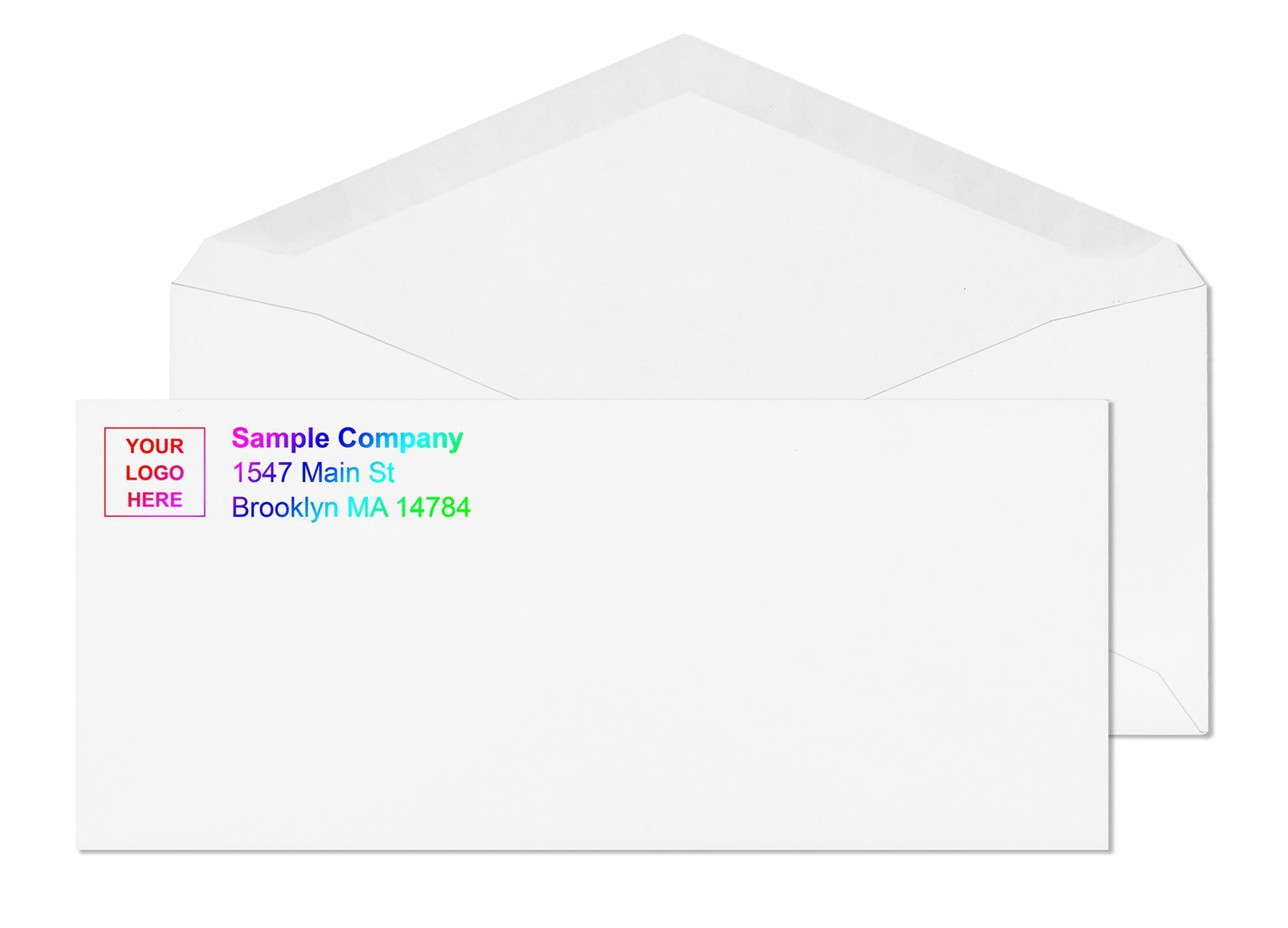
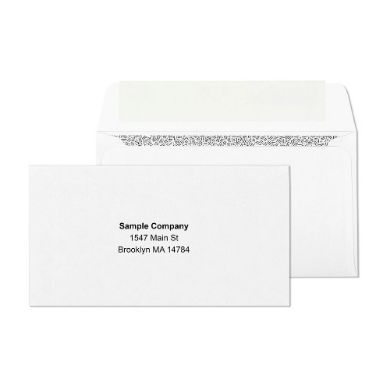
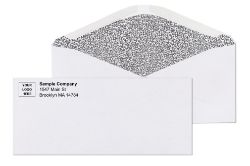
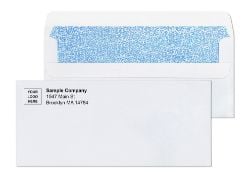
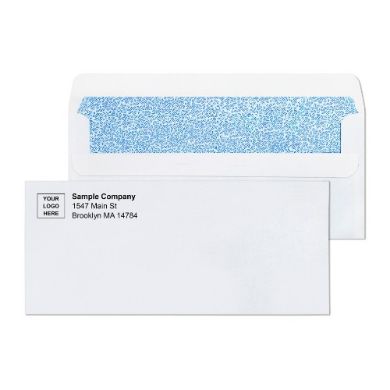
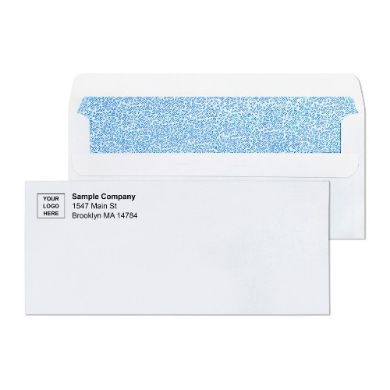
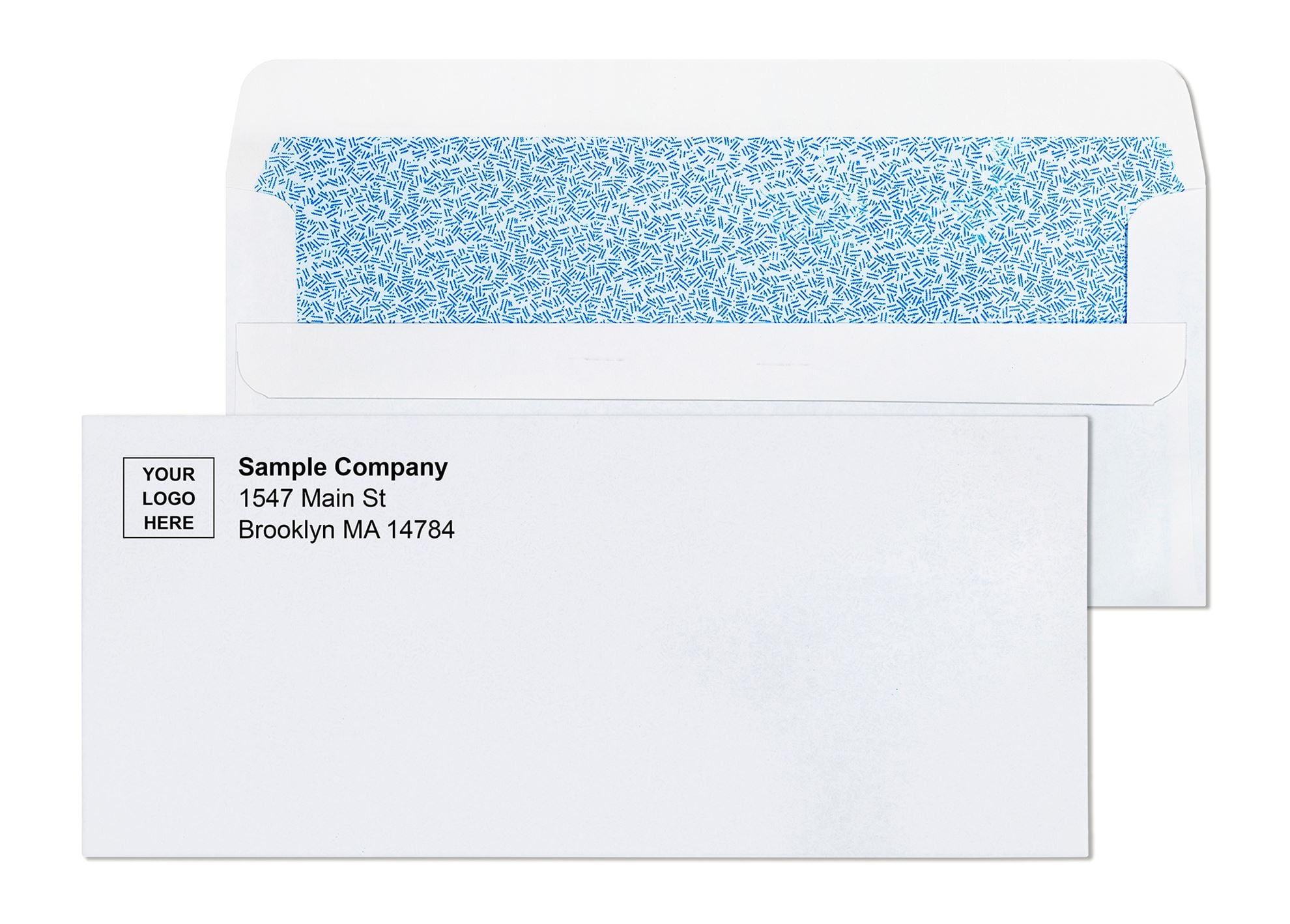
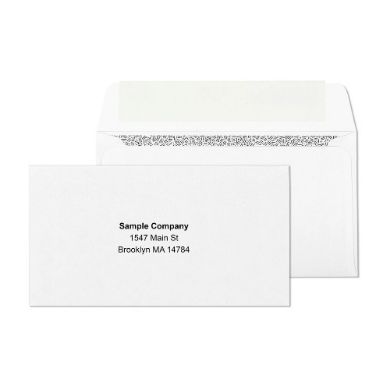
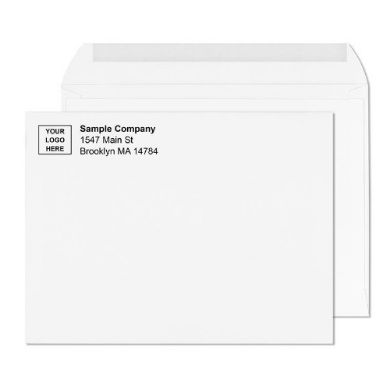
Business envelopes with logo and return address are one of the most overlooked brand assets in professional mailing. Every invoice, statement, and letter your company sends travels in an envelope that either reinforces your identity or says nothing at all. A pre-printed logo and return address change that completely. Your brand appears on the exterior before the recipient opens anything. The return address is always accurate, always in the correct position, and never dependent on a staff member applying a label correctly. For businesses mailing at any consistent volume, custom printed envelopes aren't an upgrade -they're simply the smarter operational standard.
Most businesses picture a small return address stamp in the corner when they think about custom printed envelopes. The reality of what's possible -and what leading organizations actually use -goes considerably further than that.
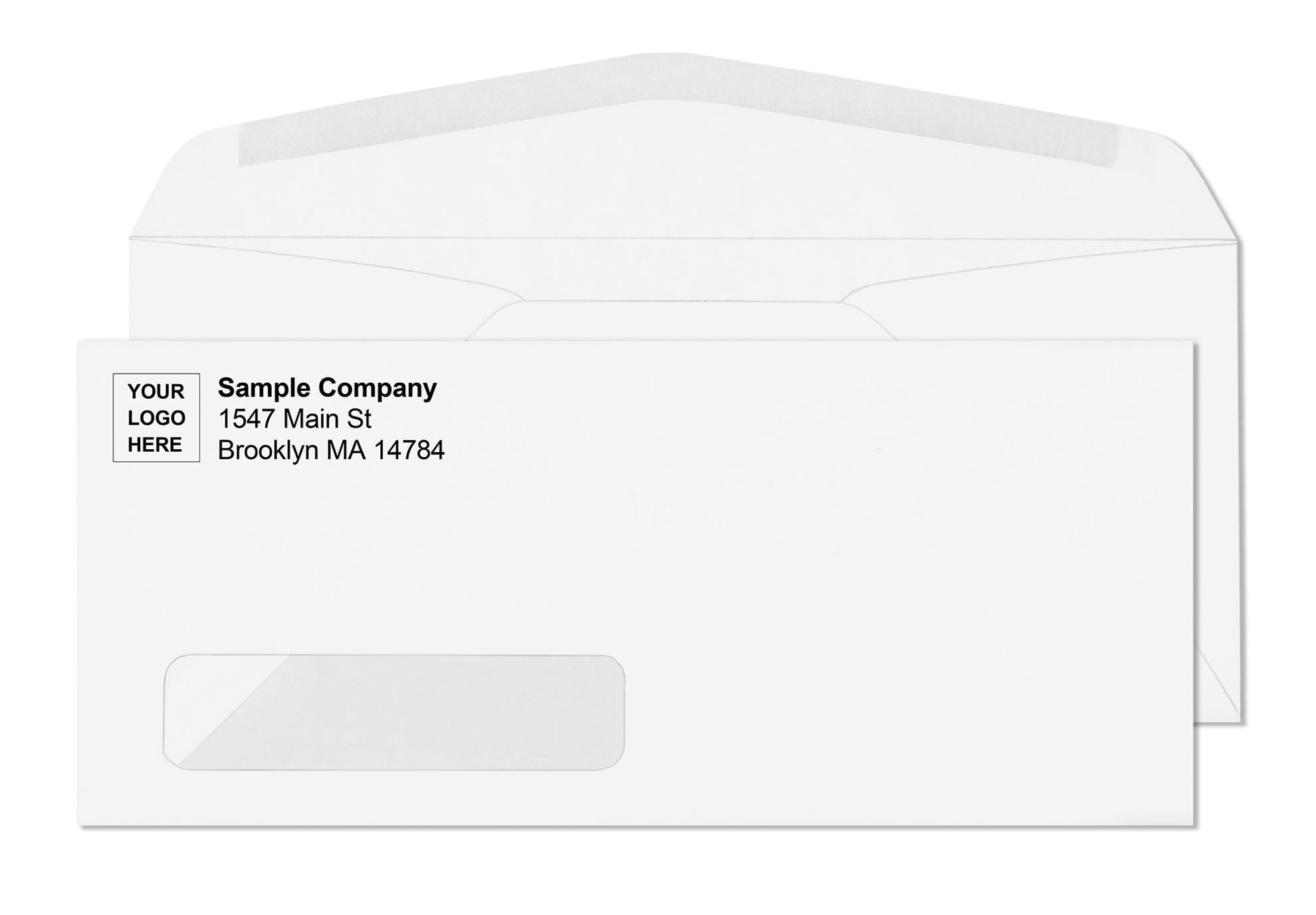
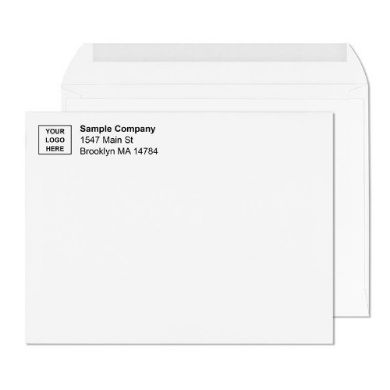
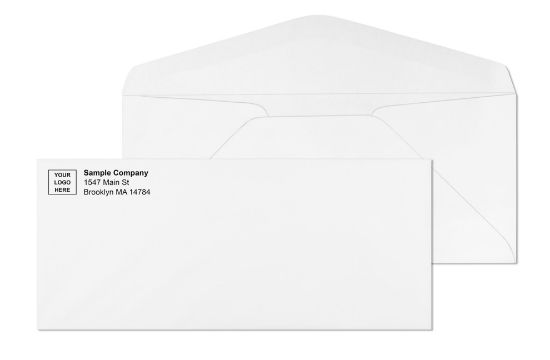
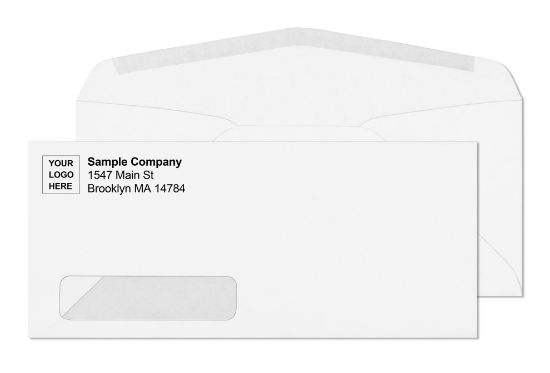
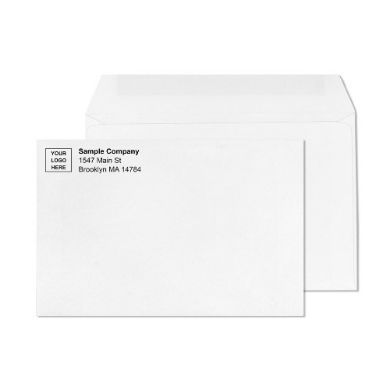
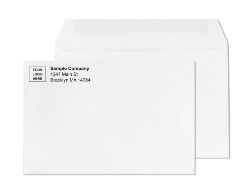
Standard custom printing on a business envelope positions your logo and return address in the upper-left corner of the face. That's the USPS-standard commercial return address position, and it's where postal automation equipment expects to find return address information. But the upper-left is just the starting point.
Here's what organizations typically include on a custom printed envelope:
None of these elements require a larger envelope or a special format. They all fit within the available face space of a standard commercial business envelope when the design is approached intentionally rather than as an afterthought.
Custom printing isn't limited to one envelope type. Every primary business envelope format supports pre-printed branding, and each serves a different operational purpose.
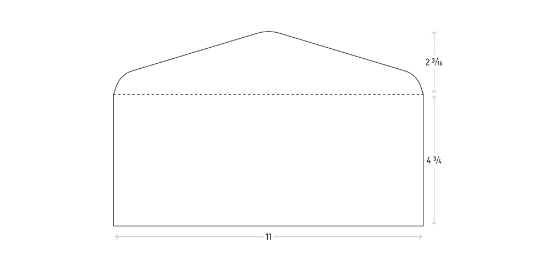
The #10 envelope is where most organizations start and where the volume is highest. At 4 1/8" x 9 1/2", it fits a standard 8.5" x 11" sheet folded into thirds, qualifies for USPS letter-rate postage, and works with every printer and inserter on the market. Custom printing is available across plain white, security-tinted, window, and self-seal variants. For billing departments, payroll teams, and legal offices running regular outgoing mail programs, the #10 envelope with pre-printed logo and return address is the operational backbone.
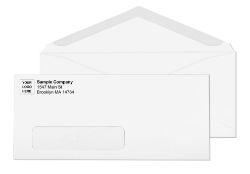
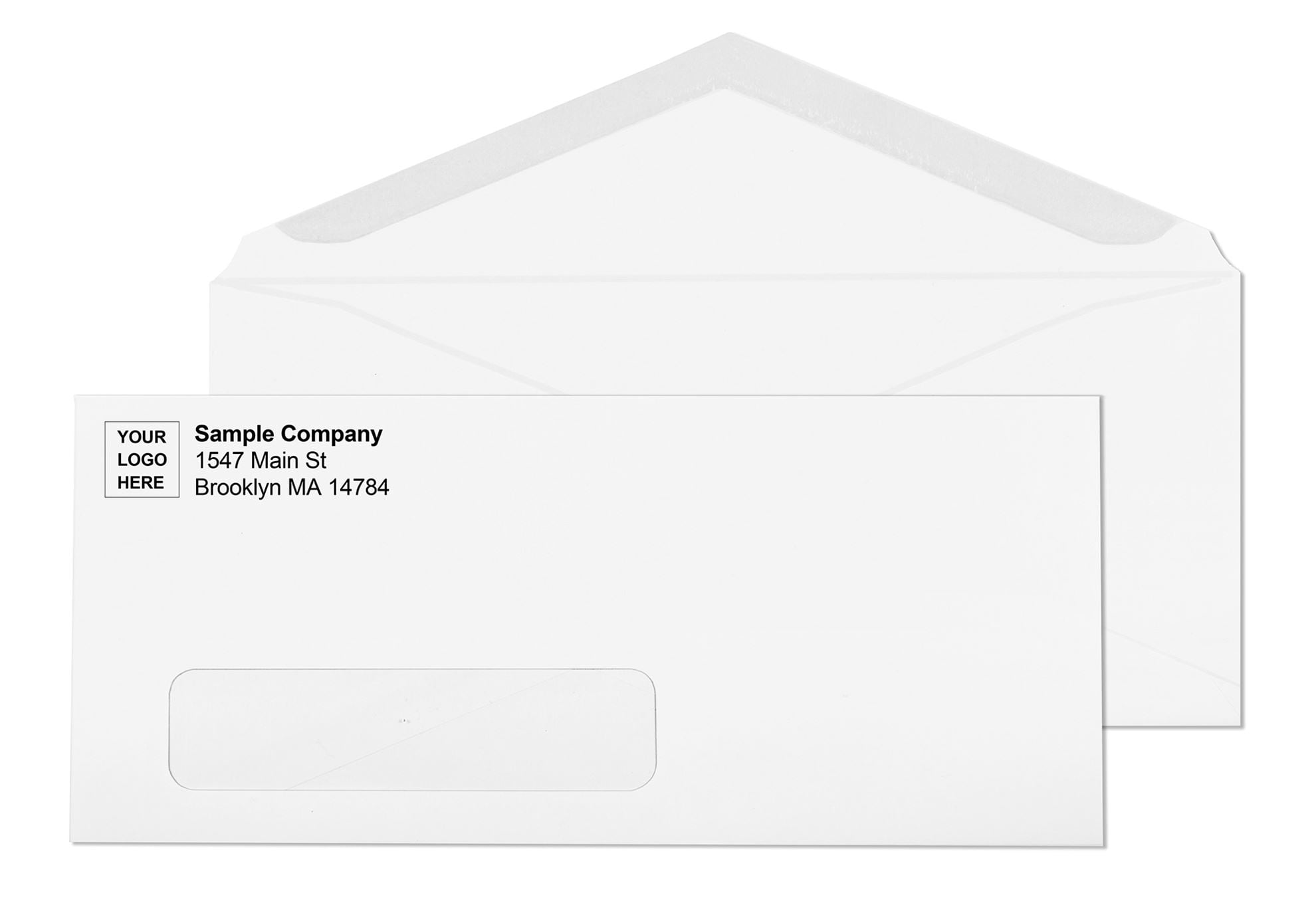
The #10 window envelope with custom printing is the format that does the most simultaneous work. The window shows the recipient's address from the document inside -no manual addressing step -while the pre-printed logo and return address on the face handle branding and the return path automatically. Every piece going out looks identical, branded, and professionally addressed without any manual envelope-stage work. Billing software, accounting platforms, and CRM systems that output address-ready documents pair directly with this format.
The #9 return envelope with custom printing handles the reply path. Organizations that send outgoing invoices or billing statements often include a pre-printed #9 envelope inside the #10 outer mailer. The #9 fits neatly inside a #10 and carries your logo and return address so the reply comes back looking as professional as the original piece that went out.
Self-seal formats -peel-and-seal and flip-and-stick -both support full custom printing with the same turnaround as gum flap stock. For offices sealing by hand in batches, the combination of pre-printed branding and a self-seal closure makes the entire envelope stage of a mailing run clean and fast.
Larger formats including the 6x9 envelope and the 9x12 and 10x13 catalog sizes are available with custom logo and return address printing for organizations mailing flat documents, client packets, and marketing materials.
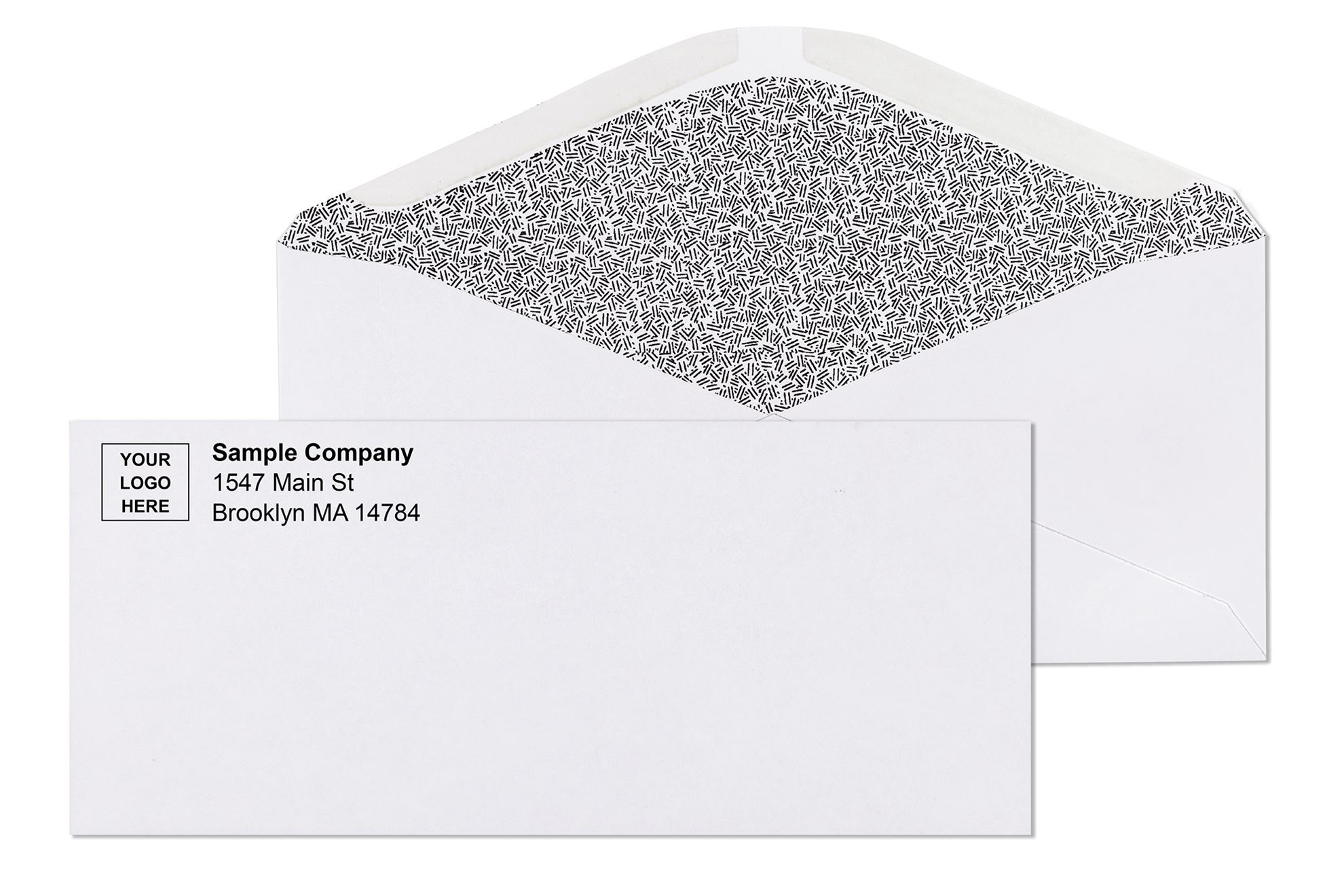
One misconception that comes up frequently: that choosing custom printing means giving up interior privacy protection. It's not a tradeoff. Security tinting and custom exterior printing are independent specifications that work together on the same envelope without any conflict.
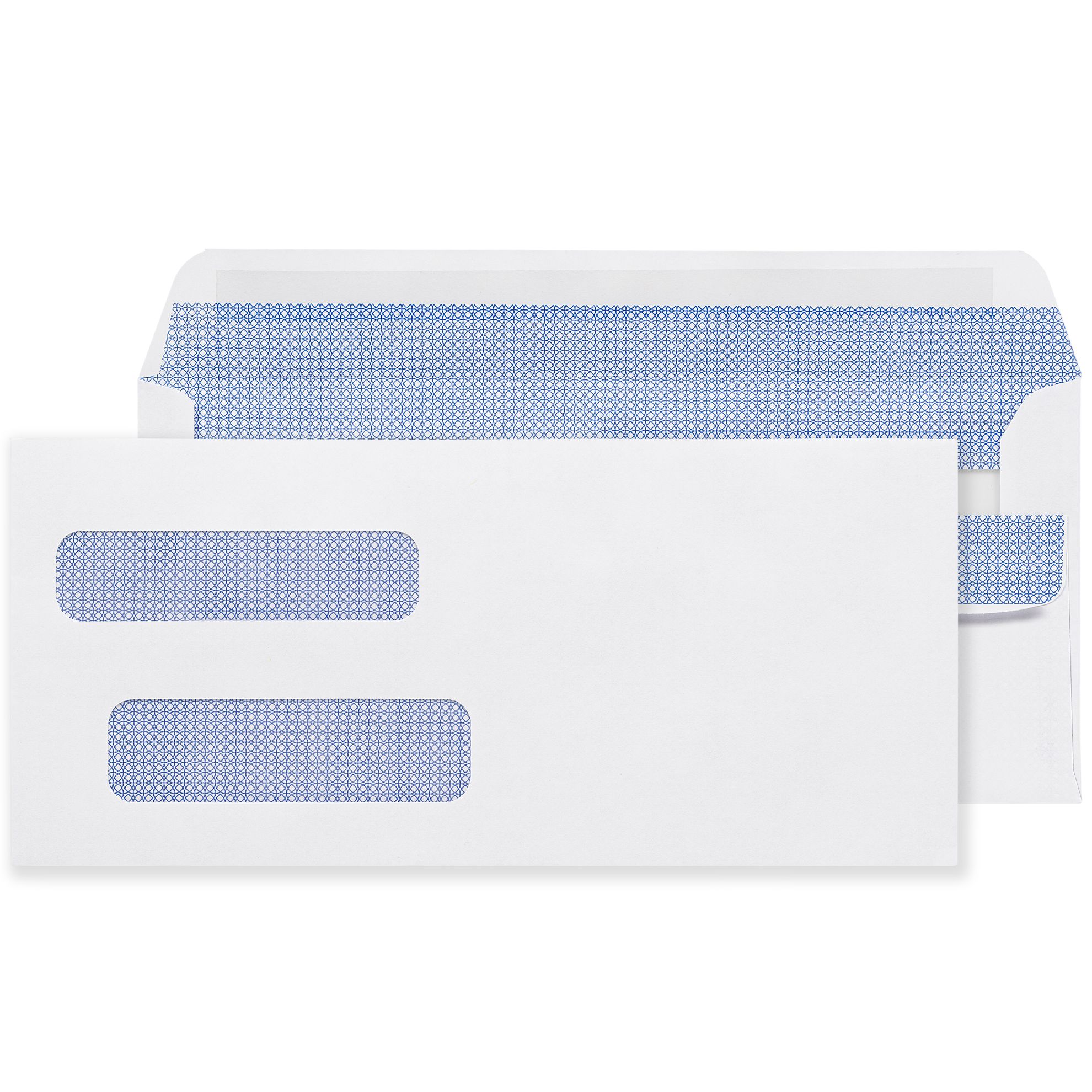
A security-tinted envelope has a dark cross-hatch or geometric pattern printed on the interior that makes the document contents completely unreadable when held to light. The tint is on the inside. The logo, return address, and any other custom printing are on the outside face. Both work independently.
For billing departments sending account statements, healthcare billing operations mailing EOBs and patient notices, payroll teams distributing pay information, and financial services organizations mailing documents containing account numbers or financial details, the combination of custom exterior printing and security interior tinting is the professional standard. These organizations don't choose between looking professional and protecting content -they get both on the same envelope as a matter of course.
Security-tinted window envelopes with custom printing are available across the full size range. The specification is straightforward: custom printing on the exterior, security tint on the interior, window positioned to USPS OCR zone specifications.
Every custom printed envelope order at BusinessEnvelopes.com goes through a PDF proof before production begins. The proof shows the exact position of your logo, return address, and any additional elements on the face of the envelope, rendered at actual production size. Nothing runs until the proof is approved. Nothing ships until the customer has seen exactly what they're getting.
This matters more than it might seem. A logo positioned one-quarter inch too far left creates a visual imbalance across thousands of envelopes. A return address font slightly too large overruns the space allocated before the window. A proof step catches both before production. Without it, the problem doesn't surface until the order arrives.
After the first order is approved and produced, the artwork file stays on file. Every subsequent reorder pulls the same file, the same position, the same color output -automatically, without re-uploading artwork, without re-proofing, without re-approval cycles. For organizations running quarterly billing cycles, annual campaign mailings, or recurring correspondence programs, this means reordering is a single-step process rather than a production restart each time.
Many businesses manage return address presentation through labels -a roll of self-adhesive return address labels applied by hand or through a label printer. This works for low-volume, occasional mailing. It stops working well at anything approaching consistent professional volume, and for several specific reasons.
Label placement consistency depends on human attention, which varies across staff members, across shifts, and across high-stress periods like month-end billing cycles. An envelope with a slightly crooked label reads differently than one with a perfectly positioned return address, even if the information is identical. Across 500 envelopes, that variation accumulates.
Label stock adds a supply chain variable. Running out of return address labels mid-batch is a workflow interruption that pre-printed envelopes eliminate entirely. The return address is part of the envelope, not a separate consumable.
Pre-printed envelopes also eliminate the adhesive exposure risk that label stock creates in storage. Labels exposed to heat, humidity, or compression can pre-activate, jam printers, or curl at edges. Envelope stock is more stable.
The operational arithmetic for most billing and correspondence operations clearly favors pre-printed envelopes once mailing volume reaches any consistent level. The per-unit cost difference between blank stock and custom printed is smaller than most purchasing managers expect -and the labor and error reduction typically exceeds it.
Ordering custom printed business envelopes from a general retailer or a broad print supplier means working with a company for whom envelopes are one product among thousands. Consistency across reorders, proper artwork file management, print quality calibrated to envelope stock specifically, and the product knowledge to advise on window position, paper weight, and seal type compatibility -none of these come standard from a generalist.
BusinessEnvelopes.com has produced custom printed envelopes for US businesses, billing departments, legal practices, healthcare billing operations, payroll teams, and marketing programs since 1997. The catalog covers every standard commercial format with custom printing available: #10 plain and window, #9 return envelopes, self-seal formats in all sizes, security-tinted variants, and larger flat-document formats.
There's no minimum order on custom printing. A regional law firm needing 300 printed envelopes for a specific client program orders the same way as a corporate billing department ordering 25,000 for a quarterly statement cycle. Both receive a PDF proof before production. Both have artwork stored on file for future reorders. Both ship with free ground shipping that applies site-wide across all quantities.
For organizations running the same envelope format across multiple departments or programs -outgoing #10s, #9 return envelopes, 9x12 document mailers -a single logo treatment can be standardized across every format from one supplier. One artwork file, consistently applied, consistently reordered, without managing separate production relationships for each size.
Business envelopes with logo and return address are a practical, operationally efficient upgrade for any organization that mails regularly. The return address is always accurate, always correctly positioned, and never subject to the variation of manual label application. The logo builds brand presence on every outgoing piece without adding any step to the mailing workflow. The proof process ensures every order matches the approved artwork exactly. No minimum order means you order what your operation needs at whatever volume makes sense. For billing departments, legal offices, healthcare billing operations, payroll teams, and any professional mailing program, custom printed envelopes are simply the professional standard -and at BusinessEnvelopes.com, they've been produced and shipped to US businesses since 1997.
Company name, full return address, and logo in the upper-left corner. Optional additions include taglines, department identifiers, QR codes, and compliance language depending on the organization's mailing program needs.
Yes. Custom exterior printing and interior security tinting are independent specifications available on the same envelope. Logo and return address print on the outside face, tint pattern on the inside -both work without conflict.
No minimum order. Order any quantity your mailing program requires -from a few hundred to tens of thousands -with free ground shipping on every order regardless of quantity.
Customized printed orders ship in seven to ten business days from proof approval. Blank stock ships same or next day. A PDF proof is provided before production begins on every custom order.
Yes. Artwork files are stored after the first order. Every subsequent reorder pulls the same file and the same position without re-uploading or re-proofing -making reordering a single-step process.
All primary commercial formats included #10 plain and window, #9 return envelopes, self-seal formats, security-tinted variants, 6x9, 9x12, and 10x13 catalog sizes.
Proper envelope addressing is one of those things that seems simple until something goes wrong- until a batch of invoices comes back marked "undeliverable," or a payroll check gets delayed because of a missing suite number, or a client never receives a time-sensitive legal document. The United States Postal Service processes roughly 167 million pieces of mail every single day using high-speed automated sorting machines that read your envelope in fractions of a second. These machines aren't forgiving of errors. A misplaced address, a return address in the wrong corner, or text sitting inside the barcode zone at the bottom of the envelope can trigger sorting failures, routing errors, and returns that cost your business time and credibility. This guide covers everything you need to know- verified against current USPS Publication 28 and Domestic Mail Manual standards- so your mail goes out right and arrives on time.
Most people treat addressing an envelope as a style decision. USPS treats it as an operational requirement. That distinction is important because the consequences of getting it wrong are real and they repeat.
USPS automated sorting equipment uses Optical Character Recognition- OCR- to read the delivery address and route each piece to the correct facility. These systems are calibrated for specific text characteristics: position on the envelope face, character height, font clarity, and the absence of competing content in the read zone. When an address falls outside those parameters, the piece fails to scan, gets flagged for slower manual handling, or routes to the wrong facility entirely.
Address format also affects postage cost directly. USPS classifies mail that doesn't meet automation requirements as non-machinable, which triggers an additional surcharge per piece on top of standard postage. For a business running regular batch mailings, non-compliant addresses add up to unnecessary overhead that's entirely avoidable with the right format.
There's a data integrity dimension too. USPS reports that approximately one in every six American families moves each year. An address list even a few months old can contain stale records. USPS requires address accuracy to be verified within 12 months of the mailing date to qualify for commercial mail pricing. Format correctness and address accuracy work together- one without the other still creates deliverability problems.
Before you write a single thing on an envelope, understand that the front face is divided into three zones, each with a fixed purpose. Content placed in the wrong zone causes processing problems regardless of how accurate the information itself is.
Zone 1- Top-left corner: your return address: Start approximately a quarter inch from the top edge and a quarter inch from the left edge. This is your business name, street address, and city, state, ZIP. It tells USPS where to send the envelope back if it can't be delivered to the recipient.
Zone 2- Center face: the delivery address: This is the zone OCR machines read. The delivery address block must be centered horizontally on the envelope face. Per DMM 202, the top of the delivery address should be no more than 2 3/4 inches from the bottom of the envelope, and the bottom of the address should be no less than 5/8 inch from the bottom edge. Keep the address at least one inch from each side of the envelope.
Zone 3- Top-right corner: postage: Reserved entirely for stamps, postage meter marks, or permit imprints. Nothing else should appear here.
Barcode clear zone- bottom 5/8 inch: The area 4 1/2 inches wide by 5/8 inch tall in the lower-right corner must stay completely empty. USPS equipment prints delivery barcodes here during automated sorting. Any text, design, border, or brand element inside this zone will interfere with barcode placement and push the piece out of automation.
USPS defines a complete address as one that includes all elements necessary for an exact match with the ZIP+4 and City State files- every detail that tells the postal system precisely where the envelope goes, formatted in a way the system can read without ambiguity.
For standard business-to-business mail, the correct format looks like this:
RECIPIENT FULL NAME
JOB TITLE (optional- aids internal routing)
COMPANY NAME
STREET ADDRESS STE 200
CITY STATE ZIP+4
A real-world example:
MS JENNIFER WALSH
ACCOUNTS PAYABLE MANAGER
HARTWELL PARTNERS LLC
1420 COMMERCE BLVD STE 200
CHICAGO IL 60601-2345
Three rules here that directly affect OCR scan accuracy:
All capital letters throughout the delivery address: USPS Publication 28 recommends ALL CAPS because OCR scanning systems read uppercase characters with measurably higher accuracy than mixed case. For business mail, this is the correct standard- not just preference.
No punctuation except the hyphen in a ZIP+4: Write CHICAGO IL 60601, not Chicago, IL 60601. Write STE 200, not Ste. 200. USPS explicitly states that commas, periods, and other punctuation should be omitted from the address block. They add nothing for postal systems and can occasionally create character recognition errors at the scan point.
Standard USPS abbreviations only: Street is ST. Avenue is AVE. Boulevard is BLVD. Drive is DR. Suite is STE. Northwest is NW. The complete approved list lives in USPS Publication 28, Appendix C.
One detail that trips up a lot of businesses: the suite number goes on the same line as the street address, not on its own separate line. The correct format is 1420 COMMERCE BLVD STE 200 on one line. Putting the suite on a second line can cause OCR systems to read the line sequence incorrectly and misroute the piece.
A standard five-digit ZIP code routes mail to the correct post office. The ZIP+4 extension- the four digits after the hyphen- routes mail to the specific delivery block, carrier route, and in many cases the individual delivery point. Mail with a validated ZIP+4 moves through fewer sorting stages and arrives faster than mail with only five digits.
For businesses mailing in any regular volume, this isn't a minor detail. USPS requires address accuracy to be verified within 12 months of the mailing date to qualify for automation pricing on commercial First-Class Mail and USPS Marketing Mail. Running your address list through USPS verification tools catches transposed digits and outdated records before they become returned mail.
The USPS ZIP Code Lookup tool at usps.com finds the correct ZIP+4 for any US address in seconds. For larger databases, several USPS-approved CASS-certified address verification services batch-validate addresses automatically- the standard approach for billing departments and direct mail operations.
USPS doesn't technically require a return address on most standard letter mail. But omitting it means any undeliverable piece goes to the dead letter office- you have no record of the failure, no way to correct the address, and no chance of recovering the piece or retrying the mailing.
For business mail, a return address is effectively non-negotiable. Place it in the top-left corner of the envelope face, a quarter inch from the top and left edges. Three lines is the standard for most business return addresses:
YOUR COMPANY NAME
STREET ADDRESS STE NUMBER
CITY STATE ZIP
Keep it concise. The return address doesn't need a phone number or contact name- those belong on the letter inside. Three clean lines in the correct position is all it needs to do its job.
If you mail regularly and want the return address to appear correctly on every piece without applying labels or printing on each envelope individually, custom printed envelopes with your return address and logo pre-printed handle that automatically. The return address is always correctly positioned, always accurate, and the manual step disappears from your workflow entirely.
For billing departments, accounts payable teams, and any operation running invoices or statements through accounting software, window envelopes change the addressing process entirely- because the envelope itself never gets addressed at all.
A window envelope has a transparent opening positioned in the lower-left area of the envelope face. The recipient's address, already printed on the document inside, shows through the opening. USPS OCR systems read it directly from there. No labels, no handwriting, no printing step on the envelope.
USPS has specific requirements for window envelope address visibility under Domestic Mail Manual 601: the enclosure must not be stapled to prevent the address from slipping out of the window view. The full address must be visible with at least 1/8-inch clearance on all four sides of the window opening. If any character is cut off by the window edge, the piece doesn't qualify for automated processing.
Always test alignment before any large batch. Print one document, fold it exactly as it'll be folded in the full run, insert it, and hold the sealed envelope up to a bright light. Full address visible? Clearance on all four sides? No sensitive information- account numbers, financial figures- visible through the envelope body around the window? All yes means the batch is ready.
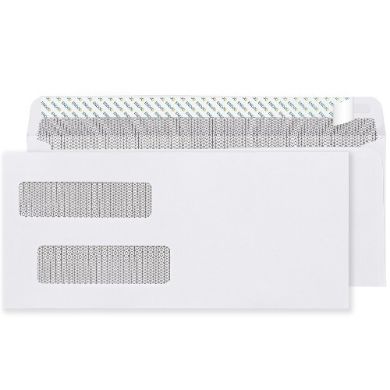
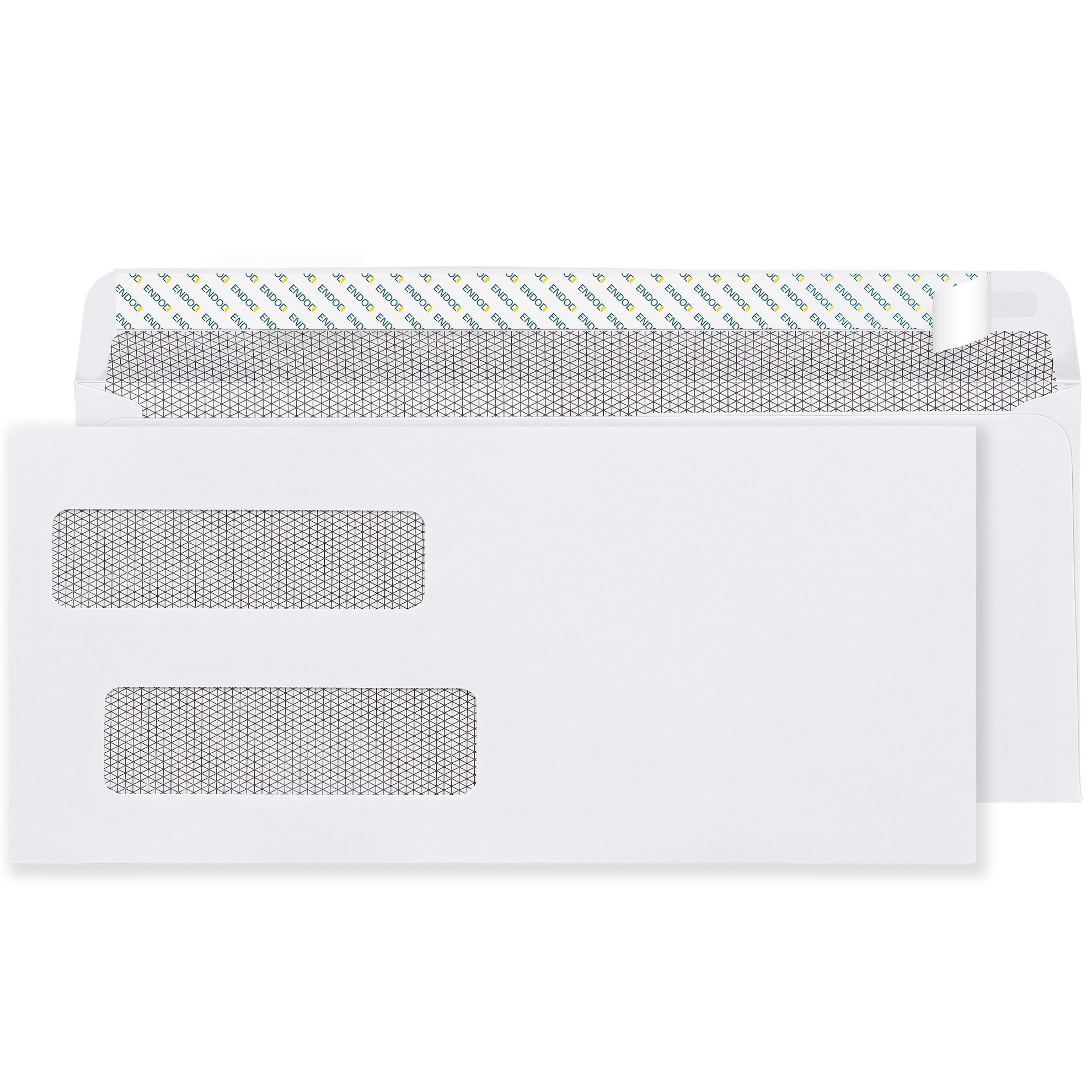
For check mailing, double window envelopes add a second opening for the return address- also coming from the document inside. Both addresses come from the check form itself when printed and folded correctly. Nothing gets written or printed on the envelope at all.
These come up consistently in business mailing operations of every size, and each one has a direct, predictable consequence.
Missing suite number : In a commercial building, an address without a suite number may route correctly to the building but become undeliverable once it arrives. The carrier has no way to determine where inside the building it belongs. USPS will attempt delivery, fail, and either return the piece or leave it in a general mail area. Always include the suite number on the street address line.
Both a street address and a PO Box listed together: USPS delivers dual-addressed mail to whichever address appears immediately above the city and state line. If you list both, delivery destination is determined by line position- which may not match your intent. Use one address per piece.
Dark or heavily patterned envelope : USPS Domestic Mail Manual 202 specifies that envelopes should be light-colored- white or pastel- with dark ink to ensure OCR readability. Brilliant colors, dark backgrounds, or overall printed patterns can prevent scanning equipment from reading the delivery address accurately. For any automated mail run, white envelopes with black or dark ink are the reliable standard.
Content printed in the barcode clear zone : Decorative borders, taglines, website addresses, or any design element in the bottom 5/8 inch of the envelope face will conflict with the USPS-applied delivery barcode. The piece will be rejected from automated processing and face slower manual handling.
Wrong line sequence in the delivery address : USPS OCR systems read the delivery address bottom-to-top- city, state, and ZIP first, then street, then name. If lines appear in the wrong order, the system reads incorrect information in each position. The format structure above must be maintained.
Getting the address format right only matters if the envelope itself qualifies for the postage class you're mailing at. USPS letter-rate processing requires envelopes to meet these specifications:
The #10 business envelope measures 4 1/8" x 9 1/2" and sits comfortably within these parameters for standard correspondence. USPS also requires a height-to-length ratio between 1:1.3 and 1:2.5. Envelopes outside this ratio carry a non-standard surcharge. Non-rectangular envelopes, rigid pieces, and envelopes with exterior clasps or fasteners are classified as non-machinable and carry an additional surcharge on top of base postage.
Getting the addressing format right starts before you write anything- it starts with having the right envelope. Size, window position, paper weight, and seal type all determine whether your correctly addressed mail processes cleanly through USPS equipment.
BusinessEnvelopes.com has been supplying US businesses with professional envelope inventory since 1997. Every product in the catalog is built to current USPS compliance standards across size, weight, and material specifications. The range covers every standard business addressing scenario:
#10 envelopes- blank and custom printed, window and non-window, gum flap and self-seal, standard white and security-tinted. The most commonly ordered envelope in US business mail, in every configuration a mailing operation needs.
Window envelopes- single and double window, positioned to USPS OCR zone specifications and compatible with standard billing and accounting software including QuickBooks, Sage, and Peachtree.
Custom printed envelopes- logo, return address, and brand colors pre-printed for consistent, professional presentation on every piece of outgoing mail. The return address is always accurately positioned, and the manual addressing step disappears from your workflow.
Self-seal envelopes- peel-and-seal and flip-and-stick options for fast, clean hand sealing without moisture. Right for offices sealing batches by hand rather than through inserter equipment.
Regular envelopes- for personalized, individually addressed correspondence where window envelope alignment isn't relevant and a clean, professional presentation matters most.
No minimum order applies across the entire catalog, which matters for operations whose volume fluctuates month to month. Free ground shipping applies site-wide. And because the product range is built around real mailing workflows- not just catalog variety- questions about window position compatibility with specific software, seal type requirements for inserter models, or paper weight implications for your printers get specific, experience-based answers backed by nearly three decades of envelope specialization.
Proper envelope addressing is a USPS compliance requirement with direct consequences for delivery rates and mailing efficiency. Return address in the top-left corner. Delivery address centered on the face in all-capital letters without punctuation, using USPS-standard abbreviations, with the suite number on the street line and ZIP+4 wherever possible. Bottom 5/8 inch of the face kept completely clear. Window envelope addresses visible through the opening with 1/8-inch clearance on all four sides. Addresses validated within 12 months to qualify for automation pricing. Every one of these details connects directly to whether your mail arrives- on the first attempt, through automated processing, without surcharges or delays. Get the format right, use the right envelope for the job, and addressing becomes one of the most reliable, repeatable parts of your mailing operation.
Yes. USPS OCR systems read addresses in fractions of a second. Incorrectly formatted addresses trigger slower manual handling and can route mail to the wrong sorting facility, adding days to delivery time.
Yes. USPS Publication 28 recommends ALL CAPS for the delivery address. OCR scanning equipment reads uppercase characters with higher accuracy than mixed case, directly improving automated deliverability.
On the same line as the street address- 1420 COMMERCE BLVD STE 200- not on a separate line. Splitting the suite onto its own line can cause OCR systems to read the address line sequence incorrectly.
It's the bottom 5/8 inch of the envelope face- where USPS applies a delivery barcode during automated sorting. Any printed content inside this zone interferes with barcode placement and pushes the piece out of automated processing.
USPS doesn't require it on most standard letter mail, but omitting it means undeliverable pieces go to the dead letter office with no recovery path. For business mail, a return address is effectively non-negotiable.
BusinessEnvelopes.com carries the full range- #10, window, double window, custom printed, and self-seal- all stocked to USPS compliance specifications, with no minimum order and free ground shipping on every order.
Most people have sealed hundreds of envelopes without ever thinking twice about it. But if you've ever had a batch of mail come back because the flap opened in transit, or watched an inserter machine jam mid-run because the seal type was wrong, you know the difference between sealing an envelope and sealing it correctly. Knowing how to seal an envelope the right way -depending on the envelope type and the volume you're handling -saves time, prevents failures, and keeps confidential content protected through every stage of postal handling. Here's everything that actually matters.
Before anything else, look at the flap. The sealing method is built into the envelope at the manufacturing stage, and each type works differently. Using the wrong technique for the seal type you have is the most common reason envelopes fail.
There are three main seal types on modern business envelopes:
Gum flap -the traditional option. The inside edge of the flap carries a strip of dried water-activated adhesive. It looks slightly shiny or dull depending on the formulation. This type needs moisture to activate.
Peel and seal -a protective paper or film liner covers a pressure-sensitive adhesive strip on the flap. You'll feel a tab you can grip to peel it away. No moisture required.
Flip and stick -latex adhesive on both the flap and the envelope body. No liner to remove. You press both surfaces together and they bond on contact.
Knowing which one you have takes two seconds and prevents the frustration of applying the wrong method.
This is the envelope most people grew up using. The technique is simple but a few details make the difference between a clean seal and one that fails.
Moisten the adhesive strip along the inside of the flap. You have a few options here -licking works but it's not ideal for high volumes or for envelopes carrying sensitive documents. A damp sponge in a shallow tray is cleaner and faster. A counter moistener -a small device with a built-in water reservoir and a roller or pad -is the standard in any mailing room handling volume.
Once moistened, fold the flap down firmly and press along the full length of the seal. Hold it for two to three seconds. Don't just press the center -run your finger or palm from one end of the flap to the other to ensure full contact.
A few things to avoid: too much moisture softens the paper and causes wrinkling that weakens the seal. Too little moisture leaves dry patches that don't bond and will open in transit. The adhesive should look slightly activated -tacky, not wet.
For offices running gum flap envelopes through industrial mailing machine inserters, the machine handles the moistening and pressing mechanically. This is precisely why inserter equipment is designed around gum flap -the mechanical sequence works reliably at speed with this seal type.
Peel and seal envelopes are the most popular choice for offices sealing by hand, and they're genuinely easy to use correctly.
Find the tab at the end of the protective liner -it's usually at one corner of the flap. Grip it and peel the liner cleanly away from the adhesive strip in one smooth motion. Don't tear it off in sections; the liner is designed to peel fully in one pull.
Once the liner is removed, fold the flap down over the envelope body and press firmly along the entire length of the seal. The pressure-sensitive adhesive bonds on contact, so press with purpose rather than a light touch.
The bond is tamper-evident. If someone tries to open the envelope after sealing, the flap tears visibly -which is why this type is the standard for financial statements, legal correspondence, and any business mail where the integrity of the seal needs to be obvious to the recipient.
One practical note on storage: peel and seal envelopes use a latex-based adhesive that has a shelf life of approximately 12 months from manufacture. Stock stored in a warm or humid environment can lose adhesive effectiveness before that point. Order quantities you'll use within the shelf-life window and store in a cool, dry space.
Flip and stick -sometimes called press seal -is the fastest hand-sealing method of the three because there's no liner to remove.
Simply fold the flap toward the envelope body and press the two adhesive surfaces together firmly. That's it. The latex bands on both surfaces bond on contact.
The technique that matters here is pressure and coverage. Press from one end of the flap to the other, not just in the middle. Incomplete pressure contact leaves unbonded sections that can open under handling. A flat, firm press across the full flap takes two seconds and creates a reliable bond.
The same 12-month shelf-life consideration applies to flip and stick as to peel and seal -both use latex adhesive. For offices going through envelopes at a consistent weekly pace, this isn't a problem. For offices that occasionally stock up heavily and leave boxes sitting for extended periods, gum flap is a better bulk-storage choice.
Sealing one or two envelopes by hand is the same regardless of which method you use. Sealing a hundred or five hundred envelopes in a single session is a different operational situation.
For gum flap at volume without a machine, a countertop moistener is the right tool. It delivers consistent moisture to every flap without the inconsistency of hand-moistening or the fatigue of licking. Most mailing room supply catalogs carry basic versions starting under fifty dollars. For the volume of a typical billing department, it pays back in time and seal consistency within the first week of use.
For peel and seal at volume, the main efficiency tip is liner disposal management. Set up a small waste container next to your sealing station before you start. Removing liners as you go and dropping them immediately rather than letting them pile on the table keeps the workspace functional when you're sealing several hundred pieces.
For flip and stick at volume, the limiting factor is usually attention to full-flap pressure contact. When sealing quickly, it's easy to press only the center of the flap. A simple quality check -pressing a sealed envelope gently from both sides to confirm the full width of the seal holds -catches any incomplete bonds before they cause returns.
For business mail carrying financial documents, healthcare information, legal notices, payroll correspondence, or check payments, the seal is carrying two responsibilities simultaneously -closing the envelope and signaling that the contents haven't been accessed in transit.
Security-tinted envelopes with peel-and-seal closures are the standard for this type of mail. The interior dark pattern makes the contents completely unreadable by holding the envelope to light. The peel-and-seal tamper-evident bond means any attempt to open the envelope after sealing leaves visible damage the recipient will notice.
For check mailing specifically, the double window format with a flip-and-stick seal is what most payroll departments and accounts payable teams use. Both addresses -payer and payee -come from the check form itself through the two windows. Sealing requires only the flip-and-stick step. Nothing is written or printed on the envelope at all.
A few problems show up repeatedly in business mailing operations, and all of them are preventable.
Sealing before inserting the document. It happens when someone is multitasking. Always insert the document first and confirm it's fully inside the envelope before touching the seal.
Partial flap contact on peel and seal or flip and stick. Pressing only the center of the flap leaves the corners unbonded. Apply pressure across the full length of the flap every time.
Using aged self-seal stock. If peel and seal or flip and stick envelopes aren't bonding reliably, the adhesive has likely degraded past its shelf life. Don't try to fix it with moisture -replace the stock.
Running self-seal envelopes through a gum-flap inserter. Industrial mailing machine inserters are designed for gum flap envelopes. Running peel and seal or flip and stick stock through equipment built for gum flap creates feed errors and incomplete seals. Always confirm your equipment's seal type requirement before ordering.
Storing gum flap envelopes in high humidity. Moisture in storage partially pre-activates the adhesive, causing flaps to stick to the envelope body before intentional sealing. Store all envelope stock in a cool, dry environment with boxes kept closed until needed.
Getting the right seal type for your mailing operation matters more than most people realize until something goes wrong mid-run. BusinessEnvelopes.com carries #10 envelopes, window envelopes, self-seal options, and security-tinted configurations across all three seal types -gum flap, peel and seal, and flip and stick -in stock and available without minimum order requirements.
Since 1997, the product range has been built around actual business mailing workflows. When a purchasing manager needs to know which seal type is compatible with their inserter, or whether peel-and-seal adhesive holds in a warehouse storage environment, those questions get specific answers from operational experience, not generic catalog guidance. Free ground shipping applies site-wide on every order.
Sealing an envelope correctly comes down to three things: knowing which seal type you have, applying the right technique for that type, and matching the seal to how your operation processes mail. Gum flap for inserter equipment and bulk storage. Peel and seal for clean tamper-evident hand sealing at volume. Flip and stick for fast repetitive hand sealing where removing a liner slows you down. Security-tinted peel and seal for anything confidential. Get those matches right and envelope sealing stops being a variable in your mailing process. Browse the full range of seal options at BusinessEnvelopes.com -every configuration in stock, no minimum order, free ground shipping on every order.
Use a peel-and-seal envelope -peel the liner, press the flap closed. No moisture needed at all. Alternatively, a counter moistener handles gum flap envelopes cleanly without any licking.
The latex adhesive has most likely aged past its 12-month shelf life. Warm or humid storage accelerates degradation. Replace the stock rather than trying to fix it with additional moisture.
Generally no. Industrial inserters are designed for gum flap envelopes specifically. Running self-seal stock through gum-flap equipment causes feed errors. Always confirm your machine's seal type requirement first.
Peel and seal has a liner you remove to expose the adhesive. Flip and stick has no liner latex on both flap and body bonds when pressed together. Flip and stick is marginally faster for repetitive hand sealing.
Peel-and-seal on a security-tinted envelope. The tamper-evident bond tears visibly if opened after sealing. The interior tinting makes contents unreadable through the envelope material.
Use a countertop moistener -a simple device with a water reservoir that consistently activates gum flap adhesive across every envelope without fatigue or moisture inconsistency. Standard equipment in any active mailing room.
Most people don't think twice about custom coin envelopes until they need them -and then they realize they've been ordering the wrong size, the wrong seal type, or a generic version that doesn't carry the information their operation actually needs on the outside. These small envelopes do serious work across banking, retail, healthcare, and collection environments. Getting the specification right the first time saves you the friction of returns, mismatched stock, and adhesive that fails mid-shift. This guide covers everything worth knowing so you order with confidence and don't revisit the decision six months later.
The name is accurate but limiting. Yes, banks and cash handlers have used coin envelopes for decades to sort, count, and label denominations at teller stations. Walk into any branch and you'll find them stacked near the cash drawers, each one carrying a denomination, a count, and an identifying mark. That's the original use -and it still accounts for a significant portion of coin envelope demand today.
But the format caught on across entirely different industries for the same core reason: small contents need secure containment and clear identification, and a compact paper envelope with a short-side opening and a writable surface delivers exactly that.
Dental offices use them to organize patient-specific small components -rubber bands, implant screws, retainer parts -through multi-stage treatment workflows where mixing items up creates real clinical problems. The envelope keeps contents separated and labeled through every step without requiring a separate labeling system.
Hardware operations and manufacturing facilities use them to sort and store small fasteners, pins, washers, and screws by job, by part number, or by station. A drawer full of properly labeled coin envelopes speeds up job setup and reduces the picking errors that come from pulling parts out of shared bins.
Seed companies, botanical gardens, and home gardeners use them to package and label seed varieties for storage, exchange, and sale. The compact size, writable surface, and reliable seal are exactly what that application needs.
Stamp and coin collectors use them as archival micro-storage units -each specimen in its own envelope, labeled, filed, and retrievable without handling the item directly. For serious collectors building catalogued archives, coin envelopes are as much a cataloguing tool as a protective one.
What all of these applications share is the same core requirement: small contents, secure containment, clear identification. The coin envelope handles all three simultaneously in a format that costs very little and takes up almost no space.
Coin envelopes come in standard size designations, and the right size is always determined by the physical dimensions of the contents -not by habit or by what's cheapest per unit.
#1 Coin Envelopes are the smallest in the standard range. Compact enough for a single coin, a tiny seed packet, a small jewelry component, or a specimen sample where minimal footprint is the priority. Available in white and brown kraft with gum flap sealing. The small surface area still accommodates handwritten or pre-printed identification -denomination, date, patient name, part number -without feeling cramped.
#7 Coin Envelopes are the more versatile mid-range size. Larger interior room handles multiple coins, grouped hardware parts, several small items together, or anything that needs slightly more space without stepping up to a full small envelope format. Available in white and brown kraft with both gum flap and peel-and-seal configurations -which makes them the most adaptable option across different workflow requirements.
4 5/8 x 6 3/4 Envelopes step up for bulkier contents -larger hardware sets, folded identification slips, grouped specimens, or retail cash packets where the contents are physically larger than a standard coin. This size bridges coin envelopes and small business envelopes, covering use cases that fall between the two.
The sizing rule is straightforward. If there's too much interior room, contents shift and can be damaged. If the envelope is too tight, the flap won't seal cleanly and the structural integrity weakens with repeated handling. Order a small sample across two or three sizes if you're not certain, confirm which fits correctly, then order at volume.
Two sealing options run across the coin envelope range, and the right choice depends on your operation's workflow -specifically whether envelopes are sealed in batches or one at a time, and whether moisture near the contents is a concern.
Gum flap (moistenable) is the traditional option. A strip of water-activated adhesive on the short-side flap gets moistened -at a damp sponge station, a counter moistener, or by hand -and presses closed into a secure bond. For teller operations sealing dozens of envelopes per shift, gum flap is fast, cost-effective, and holds well through stacking and handling. Stock also stores longer without adhesive degradation, which matters when ordering in bulk with several months of supply on hand.
Peel-and-seal removes moisture from the equation entirely. A protective liner covers the pressure-sensitive adhesive strip. Peel it, press the flap closed, sealed -no water source required and no risk of moisture affecting sensitive contents. For dental offices handling patient components, collectors protecting specimens, or any environment where liquid near the contents isn't acceptable, peel-and-seal is the right choice. It also creates a tamper-evident bond -the flap tears visibly if someone attempts to open it after sealing.
A blank coin envelope stores and seals. A custom printed coin envelope stores, seals, and communicates -before a single word is written by hand.
Pre-printing identification fields directly on the envelope face standardizes how your team records information on every envelope they handle. A denomination field, a count box, a teller ID line, a patient name field, a part number area -whatever your operation needs to track is already positioned correctly on every envelope, eliminating the variation that comes from different people deciding what to write and where to put it.
For banking operations, custom printed coin envelopes with branch identification, denomination fields, and count verification boxes are operational tools that improve accuracy and speed at the station level. Errors in cash handling often trace back to inconsistent labeling, not to counting mistakes. Standardized printed fields eliminate the labeling variable.
For dental and medical offices, pre-printed patient identification and component labeling fields ensure the right items reach the right patient at every stage of treatment. For archivists and collectors, consistent labeling across every envelope creates a cataloguing system that scales as the collection grows.
The investment in custom printing pays back quickly in reduced errors, faster processing, and a professional presentation that reflects the standard of the operation producing them.
Sourcing coin envelopes from a general office supply retailer works until something specific goes wrong -a size that's slightly off for your contents, a seal that fails under the storage conditions in your facility, or a need for custom printing that the retailer can't accommodate without a large minimum order that doesn't make sense for your volume.
BusinessEnvelopes.com has supplied US businesses, banks, healthcare facilities, and professional operations with envelope inventory since 1997. The coin envelope range covers all three standard sizes -#1, #7, and 4 5/8 x 6 3/4 -in white and brown kraft, with both gum flap and peel-and-seal options available across the range where the use case warrants it.
No minimum order means a dental practice ordering 500 envelopes for patient component storage places the same kind of order as a bank branch ordering 10,000 for daily teller use -and both get exactly what they need without being pushed into excess inventory. Free ground shipping applies across all quantities. Custom printing is available for operations that need pre-printed labeling fields, branding, or identification markers on every envelope -and that custom printing capability comes with the same no-minimum flexibility as the blank stock catalog.
Nearly three decades of envelope specialization means the questions that come up around sizing, seal compatibility, and custom printing requirements get useful answers based on real operational experience, not generic catalog guidance.
Custom coin envelopes earn their place in every operation that handles small valuables with any regularity. Banks, dental practices, retailers, hardware teams, archivists, seed companies, and collectors all rely on them -and for good reason. The format protects small contents, keeps them identified through every handling stage, and operates at a cost that makes it practical at any volume. Getting the specification right means matching size to contents, seal type to your team's workflow, and custom printing fields to the information your operation actually needs to track. Everything you need is available at BusinessEnvelopes.com -full size range in stock, no minimum order, free ground shipping on every order.
Q: What are custom coin envelopes actually used for?
Banks, dental offices, retailers, hardware teams, and collectors all use them. They store and label small items -coins, seeds, parts, specimens -keeping contents protected and clearly identified through handling and storage.
Q: What sizes do coin envelopes come in at BusinessEnvelopes.com?
Three sizes: #1 coin for smallest items, #7 coin for mid-range contents, and 4 5/8 x 6 3/4 for larger small items. Match the size to your contents -not too tight, not too roomy.
Q: What's the practical difference between gum flap and peel-and-seal?
Gum flap needs moisture to activate -best for high-volume operations with a dampening station. Peel-and-seal needs no moisture and creates a tamper-evident bond -better for individual sealing and sensitive contents.
Q: Can I get custom printing on coin envelopes without a large minimum order?
Yes. BusinessEnvelopes.com offers custom printing on coin envelopes with no minimum order requirement -so small practices and large operations order exactly what they need.
Q: Are coin envelopes suitable for storing things other than coins?
Absolutely. Seeds, stamps, jewelry, dental components, small hardware parts, and specimen samples all store well in coin envelopes. Choose the right size for the physical dimensions of the contents.
Q: Does free shipping apply to coin envelope orders?
Yes. Free ground shipping applies site-wide across all coin envelope orders at BusinessEnvelopes.com, regardless of quantity ordered.
Yes - and they handle both better than most people expect. The 6x9 envelope sits in a useful middle ground that neither the standard #10 nor the larger 9x12 catalog format covers well. It's wide enough to hold a half-folded letter sheet or a full invitation suite without crowding, compact enough to mail at standard postage rates in most configurations, and available in enough style and color options to work across both professional and personal mailing scenarios. Whether your need is a quarterly client report or a wedding invitation packet, this format handles it - cleanly and professionally. Here's everything you need to know before ordering.
Most offices and households default to two envelope sizes. The #10 for everyday correspondence, and the 9x12 when something needs to travel flat. What gets overlooked is everything that falls between those two - documents that are too large to tri-fold without creating awkward reading creases, and too small to justify a full catalog envelope with room to spare.
The 6x9 fills that gap precisely.
A standard 8.5x11 sheet folded once horizontally fits a 6x9 with clean margins on all sides. That single fold means the document arrives with one crease running through it rather than two -which makes a real difference when what's inside is a signed proposal, a detailed report, or a formal legal notice where presentation matters. For anyone who has ever opened a heavily folded document and found important text sitting directly on a crease line, the benefit here is immediately obvious.
Beyond single documents, the format handles multi-piece inserts comfortably. A wedding invitation suite with a main card, reply card, details insert, and inner envelope fits without bulging the envelope or requiring undersized components. A corporate event packet with a program, map, and RSVP form sits neatly inside without being stuffed. The extra room isn't wasted space - it's working space that makes the contents look considered and organized when opened.
For professional document mailing, the 6x9 format covers a range of real-world needs that often get handled poorly by defaulting to whatever size is already in the supply cabinet.
Client-facing correspondence benefits from this format more than most businesses realize. A quarterly performance summary sent in a half-folded 6x9 arrives with one clean fold and reads naturally from top to bottom when opened. The same document tri-folded into a #10 arrives with two fold points interrupting the flow of the page. The difference is subtle but cumulative across dozens or hundreds of client mailings over the course of a year.
Marketing inserts and campaign mail work well here too. A half-sheet promotional flyer, a folded brochure, or a product announcement designed for direct mail fits the 6x9 without requiring the awkward over-fold that a #10 imposes. The result is a cleaner piece that feels more deliberate when the recipient opens it.
Legal and compliance documents - notices, disclosures, multi-page agreements - often run longer than a single page and carry text that needs to be fully readable without crease interference. The 6x9 accommodates a half-fold on these documents and keeps the text presentation clean throughout. For law firms, insurance companies, and any professional service mailing formal documentation regularly, this is a practically useful distinction.
The traditional choice for invitations is the A-style announcement envelope - the A6 or A7 formats built around standard card sizes. Those work perfectly well for single-card invitations with minimal enclosures.
The 6x9 becomes the better choice when the invitation is a suite rather than a single piece. Full wedding invitation packets, corporate gala invitations with program inserts, product launch invitations with branded collateral, fundraiser mailings with donation reply cards - all of these assemble more naturally and sit more comfortably inside a 6x9 than they do in a format that wasn't designed with multiple inserts in mind.
The color options available in the 6x9 format add genuine value for invitation use:
For event planners, stationery studios, and individuals managing their own invitation projects, the starburst options eliminate the need to source specialty-colored envelopes from a separate supplier. They're available in the same format and seal configurations as the standard white and kraft options.
Ordering the right 6x9 envelope means confirming a few practical details beyond size and color.
Booklet versus open-end style. Booklet envelopes open on the long side — the flap runs along the 9-inch dimension and lifts to reveal the full interior. This is the standard for most document and invitation mailing. Open-end envelopes open on the short side and are used when inserts need to slide in horizontally, which is less common but worth knowing exists if your specific use case requires it.
Seal type matters more than people expect. Three options cover the range of how these envelopes actually get sealed:
Gum flap (moistenable) is the traditional option and the right choice for mailing machine inserter equipment or for bulk operations where envelopes are sealed mechanically. It also has the longest shelf life on stored stock, making it suitable for larger advance orders.
Peel-and-seal is the practical choice for hand-sealing in moderate to high volumes. Peel the liner, press the flap, sealed. No moisture, no mess, tamper-evident bond. For invitation mailing where envelopes are sealed individually or in small batches, this is the cleanest and fastest option.
Clasp and moistenable glue adds a metal clasp for mechanical security alongside the adhesive seal. Used when heavier document contents benefit from the added reinforcement that a clasp provides during postal handling.
Custom printing for professional use. If you're mailing branded business correspondence in 6x9 envelopes -client reports, legal notices, proposal packets — custom printed envelopes with your logo and return address pre-printed eliminate manual addressing of the return information and make every piece of outgoing mail consistent with your brand. Available on 6x9 formats alongside all seal and color configurations.
Standard 6x9 envelopes with lightweight inserts — a single folded sheet, a light invitation suite - typically qualify for USPS letter-rate postage, keeping mailing costs at the lowest tier. Once contents increase in weight, thickness, or rigidity, the envelope may be reclassified as a flat-mail piece, which carries higher postage rates.
For individuals mailing a small number of invitations, this is rarely a material consideration. For businesses mailing several hundred 6x9 envelopes as part of a direct mail campaign or client communication run, verifying the postage classification for your specific configuration before committing to a print run is worth the five minutes it takes.
Square envelopes and non-standard shapes often trigger additional USPS surcharges. The 6x9 rectangular format avoids those surcharges and processes cleanly through postal sorting equipment, which matters for any volume mailing.
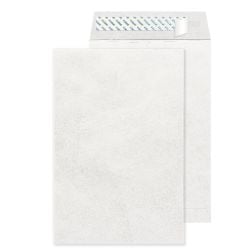
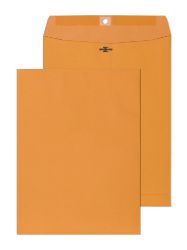
BusinessEnvelopes.com has been supplying professional envelope inventory to US businesses, legal offices, event planners, and marketing teams since 1997. The 6x9 range reflects real use-case diversity - white booklet in gum flap and peel-and-seal, brown kraft with clasp for heavier document mailing, Tyvek for contents requiring durability protection, and starburst colors for invitations and announcements.
No minimum order means you can order what your specific project requires without committing to surplus stock that sits unused after the mailing is done. Free ground shipping applies site-wide regardless of order quantity. And because the inventory is built around actual mailing workflows rather than generic catalog diversity, questions about which configuration fits a specific document type or invitation suite get specific and useful answers.
Custom printing is available on 6x9 formats for organizations that want their brand present on every piece of outgoing mail - the same no-minimum flexibility applies to printed orders as it does to blank stock.
6x9 envelopes are genuinely well-suited for both documents and invitations - but the right variant depends on what's going inside and what the mailing needs to accomplish. Half-folded correspondence, client-facing reports, legal notices, and full invitation suites all fit more naturally in a 6x9 than they do tri-folded into a #10 or loose inside a 9x12. The format delivers better document presentation, comfortable capacity for multi-piece invitation suites, and color options that serve everything from formal professional correspondence to celebratory event mailings. Browse the full range at BusinessEnvelopes.com -every configuration in stock, no minimum order, and free ground shipping on every order.
Yes. A main invitation card, reply card, details insert, and inner envelope fit comfortably in a 6x9 without components needing to be undersized or overstuffed.
Standard configurations with lightweight inserts typically do. Heavier or thicker contents may shift classification to flat-mail with higher postage. Verify before any high-volume mailing run.
Booklet envelopes open on the long side — standard for most uses. Open-end envelopes open on the short side for inserts that slide in horizontally. Booklet is correct for most documents and invitations.
Yes. Custom printing is available on 6x9 formats at BusinessEnvelopes.com with no minimum order requirement, in both single-color and full-color options.
Peel-and-seal fast, clean, no moisture needed, and creates a tamper-evident bond that holds reliably through postal handling. Ideal for invitation mailing sealed one at a time.
Yes. Starburst colors are available in the 6x9 format at BusinessEnvelopes.com alongside white and brown kraft options, in booklet style with peel-and-seal closure.
Walk into any office supply room in the United States and you'll find the same thing: a shelf of #10 business envelopes. They go out in the mail every week - carrying invoices, statements, checks, and correspondence - without anyone stopping to question whether the specification is actually right for the job. Most of the time it works. But when window positions don't align with billing software, or seal types conflict with inserter equipment, or confidential documents go out in envelopes that offer no interior privacy, the problem traces back to an ordering decision that was never examined closely enough. This guide fixes that.
The #10 envelope measures 4 1/8 inches by 9 1/2 inches. That specific dimension wasn't chosen arbitrarily - it was built around the standard US letter sheet. Fold an 8.5 x 11 inch sheet into three equal horizontal sections and it fits a #10 envelope cleanly, with proper margins on all sides and no forced creasing or bunching.
That fit matters for three distinct reasons. First, it qualifies the mailing for USPS letter-rate postage - the lowest tier available for business correspondence. Once an envelope exceeds the standard letter dimensions, it gets reclassified as a flat-mail piece and postage increases accordingly. For billing departments sending several hundred statements per month, or marketing teams running direct mail campaigns, staying inside the letter-rate classification is a genuine budget consideration.
Second, the #10 format is universally compatible with mailing equipment. Every desktop laser printer, office inkjet, and industrial mailing machine inserter on the market is designed with the #10 in mind. No compatibility checks, no margin adjustments, no special handling. It loads and processes without friction.
Third, the tri-fold presentation is clean. Documents arrive flat, properly folded, and looking professional rather than wedged into an envelope that was too small or rattling around in one that was too large.
That combination -right postage, right equipment compatibility, right presentation -is why the #10 has held its position as the default for US business mail for decades. The format does exactly what it needs to do, consistently, without demanding attention.
The size is fixed. Everything else is a variable. And those variables are where ordering decisions either get it right or create operational problems downstream.
This is the decision that produces the most real-world mailing errors when it's gotten wrong.
A non-window #10 requires the envelope to be addressed separately - printed directly on the envelope, applied via label, or handwritten. For personalized correspondence, executive communications, and individually addressed mail, this is correct. For billing operations running hundreds of pieces at a time through accounting software, it creates unnecessary manual work and introduces human error into the addressing step.
A single window envelope has a transparent opening in the lower-left area of the envelope face. The recipient's address, already printed on the document inside, shows through. Nothing is written or applied to the envelope. The document and the envelope work as one system - addressing happens at the printing stage, not the mailing stage. For invoices, statements, and any standardized business mail produced by accounting or billing software, single window is the operationally correct format.
A double window envelope adds a second opening for the sender's return address, also pulled from the document inside. This format exists specifically for check mailing. When QuickBooks, Sage, Peachtree, or any compatible payroll platform prints a check with both the payer and payee addresses already on the form, the double window envelope handles the entire addressing step automatically. Payroll and accounts payable teams running regular check runs don't treat this as optional — it's the only format that processes correctly.
The practical rule is straightforward: match the window to your software's document output. If your invoices print with a recipient address in the lower-left when tri-folded, use single window. If your checks carry both addresses, use double window. If your documents don't have a consistent address position, use no window.
Three options exist across the #10 format, each with a clear right use case:
Gum flap carries water-activated adhesive on the flap. Moistening activates the seal. Industrial mailing machine inserters are designed around this type — they moisten and close flaps mechanically as part of the insertion sequence. If your operation uses an inserter, confirm what seal type the equipment requires before ordering. Substituting self-seal in a machine built for gum flap creates feed errors.
Peel-and-seal uses a pressure-sensitive adhesive strip under a protective liner. Peel, press, sealed -no moisture needed. The bond is tamper-evident. Best for teams sealing by hand at moderate weekly volumes.
Flip-and-stick bonds latex adhesive on both the flap and envelope body when pressed together. No liner to remove. Slightly faster than peel-and-seal for repetitive hand sealing. The adhesive has roughly a 12-month shelf life, which limits how far ahead you'd want to stock it.
If the question is hand sealing versus machine sealing, the answer determines the seal type. Everything else is secondary.
Security tinting is an interior print pattern - typically a dark cross-hatch design - that makes envelope contents completely unreadable when held to light. Only the address block showing through the window remains visible from outside.
For financial statements, patient correspondence, insurance documents, legal notices, payroll information, and check mailings, this is not an optional upgrade - it's the professional standard. A clear envelope where account numbers and payment amounts are visible to anyone handling it during transit is an operational risk that security tinting eliminates at minimal cost. Healthcare billing operations, financial institutions, law offices, and payroll departments use security-tinted envelopes by default.
A blank #10 delivers the mail. A custom printed #10 delivers the mail and the brand simultaneously.
Pre-printing your company logo, return address, and brand colors on the envelope face does three things at once. It removes the manual return address application step from every mailing. It ensures your return address is always accurate and consistent. And it means your brand is present the moment the envelope enters someone's hands -before it's opened, before the contents are read.
For organizations mailing regularly at volume, the operational math on custom printing is straightforward. The cost difference between blank and printed envelopes is smaller than most purchasing managers expect. The time saved from eliminating manual address application and the brand consistency gained across every piece of outgoing correspondence make it one of the most practical upgrades available in a mailing workflow.
Custom printing is available on both window and non-window #10 formats. Security tinting is compatible with custom printed exteriors, meaning brand presence on the outside and content protection on the inside aren't competing requirements - they work on the same envelope
There are plenty of places to buy #10 envelopes. Most of them are general retailers where envelopes are one line item in a broad catalog. BusinessEnvelopes.com has been supplying envelope-specific inventory to US businesses since 1997 - nearly three decades of working with billing departments, payroll teams, legal offices, healthcare administrators, and operations managers who depend on their mailing supplies to work correctly every week.
That depth of specialization shows in the practical details. Window positions are specced to the standard output positions of QuickBooks, Sage, Peachtree, and other major platforms. Security tinting is a standard catalog option across window configurations, not a special order with extended lead time. Every seal type, paper weight, and print option is organized around actual mailing workflow decisions, not just product variety.
No minimum order means you order what your operation needs - whether that's one box or a full pallet - without being pushed into excess inventory that degrades before it's used. Free ground shipping applies across the entire catalog. And because the product knowledge runs deep, questions about window alignment, software compatibility, or inserter seal requirements get real answers.
The #10 business envelope is the most ordered, most relied-upon, and least examined supply in most US offices. Getting the specification right -window type matched to your software, seal type matched to your process, security tinting where your content requires it - determines whether it runs smoothly or creates friction that compounds across every mailing cycle. BusinessEnvelopes.com carries every configuration of the #10 format, stocked to the specifications that real mailing operations need, with no minimum order requirement and free ground shipping site-wide. For offices that depend on mail running correctly week after week, that combination of expertise and availability is exactly what a supplier relationship should deliver.
Q: What does a #10 business envelope measure?
4 1/8 x 9 1/2 inches. It fits a standard 8.5 x 11 sheet folded into thirds and qualifies for USPS letter-rate postage, keeping mailing costs at the lowest tier.
Q: How do I know whether I need a window or non-window #10?
If your billing or accounting software prints documents with a consistent address block, use window envelopes. Non-window suits personalized or individually addressed correspondence requiring separate addressing.
Q: What seal type works best if my team seals envelopes by hand?
Peel-and-seal or flip-and-stick both work cleanly without moisture. Flip-and-stick is marginally faster. Gum flap is specifically for automated mailing machine inserter equipment.
Q: Is security tinting only for large businesses?
No. Any business mailing financial documents, medical correspondence, legal notices, or check payments should use security-tinted envelopes regardless of volume or company size.
Q: Can I get custom printing on window envelopes with security tinting?
Yes. Custom exterior printing and interior security tinting are both available on the same envelope at BusinessEnvelopes.com.
Q: Is there a minimum order quantity for #10 business envelopes?
No minimum at BusinessEnvelopes.com. Order exactly what your mailing cycle requires, with free ground shipping on every order regardless of quantity.
Every invoice, statement, and business letter your company mails is a brand touchpoint. Most businesses treat the envelope as an afterthought - a blank white carrier that gets torn open and discarded. That's a missed opportunity. Custom printed #10 window envelopes put your logo, brand colors, and return address on every outgoing piece without adding a single manual step to your mailing process. The window handles addressing automatically. The printing handles your brand. The result is professional, consistent business mail that looks intentional from the moment it lands in someone's hands.
The #10 envelope is the American standard for business mail - measuring 4 1/8" x 9 1/2", it takes a standard 8.5" x 11" sheet folded into thirds and qualifies for USPS letter-rate postage. It's what billing departments, law offices, insurance companies, and accounting teams reach for by default because it works with virtually every document their software outputs.
Adding a window to that format makes it smarter operationally. The transparent opening - positioned in the lower-left area of the envelope face - shows the recipient's address directly from the document inside. No labels. No manual addressing. No risk of a mismatch between the envelope and its contents. The document and the envelope work as a single system.
What custom printing adds to that system is brand presence. A blank #10 window envelope gets the job done. A custom printed #10 window envelope with your company name, logo, and return address pre-printed on the front does the same job while making your business look established, consistent, and professional before the recipient reads a single word of what's inside.
For companies sending invoices, account statements, legal correspondence, or any high-volume business mail, the difference between blank and custom printed isn't cosmetic - it's the difference between mail that looks like it came from a business and mail that looks like it came from your business.
Custom printing on business envelopes isn't limited to a small return address in the corner. The full face of a #10 envelope gives you meaningful surface area to work with, and the window position is fixed - which means everything printed around it can be designed intentionally.
Here's what typically goes on a custom printed #10 window envelope:
The window itself creates a natural design constraint that actually helps: everything printed on the envelope has to work around a fixed opening in the lower-left. Good envelope design accounts for that, using it as an anchor point rather than fighting it.
One practical consideration worth knowing: if you're printing full color, ensure that nothing in the design area overlaps or competes visually with the address block showing through the window. USPS OCR equipment needs to read that address cleanly, and a busy printed background immediately behind the window can create readability problems.
The right print specification for your envelopes depends on how you use them and what you want them to communicate.
Single-color printing - typically black, navy, or your primary brand color - is the practical choice for most business mailing operations. It's cost-effective, prints cleanly on white wove stock, and looks sharp for everyday invoice, statement, and correspondence mailing. If your logo works well in a single color (which most professional logos do), single-color printed envelopes give you 90% of the brand impact at a fraction of the cost of full-color production.
Full-color printing makes sense when the envelope itself is doing marketing work - when you're running a direct mail campaign, announcing a new product or service, or mailing to prospects rather than existing clients. Full-color envelopes stand out in a physical mailbox the same way a well-designed ad stands out on a page. The envelope becomes part of the message, not just the carrier.
For day-to-day transactional mailing - invoices, statements, payroll correspondence, legal notices - single-color custom printed envelopes are the professional standard. For outbound marketing, client acquisition, or high-value communications where first impression carries extra weight, full-color is worth the investment.
If your business mails financial documents, healthcare correspondence, legal notices, or any content where confidentiality matters during transit, security tinting belongs in the specification alongside custom printing.
A security-tinted envelope has a darkened interior pattern - typically a cross-hatch or geometric design printed on the inside - that makes the contents completely unreadable by holding the envelope up to light. Only the recipient's address, showing through the window, remains visible from outside.
Custom printing and security tinting are not mutually exclusive. You can have your logo and return address printed on the exterior and full security tinting on the interior, giving you brand presence on the outside and complete content protection on the inside. For billing departments, insurance companies, healthcare billing operations, and law firms, this combination is the professional standard - not an optional upgrade.
Security-tinted window envelopes available at BusinessEnvelopes.com can be custom printed to your specifications, so confidentiality and brand consistency work together rather than requiring a tradeoff.
There are plenty of places to order printed envelopes. Most of them are general print shops that treat envelopes as one item in a catalog of thousands. BusinessEnvelopes.com has been doing exactly this - supplying professional-grade envelopes to US businesses - since 1997. That's not a marketing line; it's nearly three decades of understanding what accounting departments, billing teams, legal offices, and operations managers actually need from their mailing supplies.
When you order custom printed #10 window envelopes here, you're not working with a generalist printer who happens to carry envelopes. You're working with a specialist who knows that window position alignment matters, that security tinting specifications vary by use case, that paper weight affects how envelopes feed through inserters, and that a business ordering 500 envelopes a month needs a supplier who gets that right every time - not just on the first order.
The inventory is built around the formats US businesses actually use. The #10 window is the core of the catalog, not an afterthought. Every printed envelope ships to USPS specifications so you don't get hit with non-machinable surcharges or alignment failures mid-run. And because there's no minimum order requirement, you can order what you actually need rather than committing to quantities that sit in a storage room for two years.
Custom printing is available in single-color and full-color formats. You submit your artwork - logo, return address, any additional elements - and receive envelopes that represent your business the way your business deserves to be represented. Free ground shipping applies site-wide. No minimum order. No compromise on quality.
If you're still mailing invoices in blank envelopes or applying return address labels by hand, you're spending time and money on a problem that custom printed window envelopes solve permanently. It's one of the simplest operational upgrades a mailing-dependent business can make, and the cost difference between blank and printed envelopes is smaller than most people expect.
Custom printed #10 window envelopes combine operational efficiency with consistent brand presentation across every piece of mail your business sends. The window eliminates the addressing step. The custom printing ensures your logo, company name, and return address appear on every outgoing envelope without manual effort. Add security tinting for confidential correspondence and you have a complete mailing solution that handles compliance, branding, and workflow efficiency simultaneously. For businesses that mail invoices, statements, legal documents, or any regular correspondence at volume, this is the format that removes friction and adds professionalism to a process that happens every single week. Order exactly what you need at BusinessEnvelopes.com - no minimums, free ground shipping, and nearly thirty years of envelope expertise behind every order.
Q: What is a custom printed #10 window envelope?
A #10 window envelope with your company logo, return address, and brand colors pre-printed on the exterior. The window shows the recipient's address from the document inside automatically.
Q: Can I order custom printed #10 window envelopes without a minimum quantity?
Yes. BusinessEnvelopes.com carries no minimum order requirement, so you can order exactly the quantity your mailing operation needs.
Q: Do custom printed window envelopes work with billing and accounting software?
Yes. Standard #10 window envelopes align with QuickBooks, Sage, Peachtree, and most billing platforms. Custom printing doesn't affect window position or document alignment.
Q: Can I get security tinting on custom printed window envelopes?
Yes. Custom exterior printing and security interior tinting are both available, giving you brand presence outside and content privacy inside on the same envelope.
Q: What file format do I need to submit for custom envelope printing?
Most professional printers require print-ready artwork in PDF or vector format. Contact BusinessEnvelopes.com directly to confirm artwork specifications before submitting your design files.
Q: How long does it take to receive custom printed #10 window envelopes?
Production and shipping timelines vary by order size and print specification. Contact BusinessEnvelopes.com for current turnaround times on your specific order requirements.
If you're printing checks through Quick Books and mailing them out, you need more than just any envelope off the shelf. Quick Books check forms are designed with specific dimensions, address block positions, and fold points that only align correctly with a particular envelope format. Use the wrong one and you're looking at misaligned address windows, checks that don't fit cleanly, or confidential financial information partially visible from outside. Getting the right business envelope for your Quick Books work flow isn't complicated once you know what to look for - and that's exactly what this guide covers.
The Right Envelope for QuickBooks Checks Depends on Your Check Format
Quick Books prints checks in three standard formats, and each one has a different envelope requirement. Most accounting professionals work with one format consistently, but if you've recently switched Quick Books plans, upgraded to a newer check template, or taken over bookkeeping for a business that was using a different setup, it's worth verifying which format you're actually printing before ordering envelopes in bulk.
Standard Voucher Checks are the most widely used Quick Books check format. The check itself occupies the top third of an 8.5" x 11" sheet, with two voucher stubs below it carrying payment details. When you tear off the check portion and fold it, it fits into a standard #10 double window envelope. The payee address shows through the lower window, and your return address shows through the upper window. Nothing needs to be written or printed on the envelope itself. Wallet Checks are smaller, producing three checks per page. These don't require window envelopes in the traditional sense since they're often distributed in person or inserted into regular envelopes with accompanying documentation. If you are mailing wallet checks, a standard #10 regular envelope works fine.
Three-Per-Page Business Checks follow the same logic as wallet checks. Window envelope alignment doesn't apply here the same way it does with full-sheet voucher checks. For the vast majority of Quick Books users printing and mailing checks to vendors, contractors, or employees, the answer is a #10 double window envelope. That's the format Quick Books' standard voucher check was designed around.
Why Double Window Envelopes Are the Only Correct Answer for Voucher Checks Here's what makes double window envelopes specifically right for this job not just convenient, but operationally necessary. When Quick Books prints a standard voucher check, it places your company's return address and the payee's mailing address in two fixed positions on the check form. These positions correspond exactly to the upper and lower window placements on a standard #10 double window envelope. When the check is folded correctly and inserted, both addresses sit cleanly inside their respective windows with proper clearance on all sides.
This means: No address labels to apply No printing on the envelope No handwriting anything No risk of putting the wrong payee name on the wrong envelope Both addresses verified visible before sealing For an accounts payable team processing weekly check runs, this eliminates an entire manual step per envelope. Across hundreds of vendor payments per month, that's real time saved and a meaningful reduction in mailing errors.
The security aspect matters too. Quick Books checks contain sensitive financial information account numbers, routing numbers, payment amounts. A standard clear envelope lets any of that be visible if someone holds it up to light. Security-tinted double window envelopes block the contents entirely while keeping both address windows visible. For check mailing specifically, security tinting isn't optional it's standard practice.
Seal Type Matters More Than Most People Realize
Once you've confirmed the envelope format, the sealing method is the next decision — and it affects daily workflow more than people expect. Flip-and-Stick (Press Seal) is the preferred option for most Quick Books check mailing operations that seal by hand. There's no liner to peel, no moisture required. Press the flap against the adhesive band and it seals instantly. For a team processing 50 to 200 checks per week by hand, this is the fastest option with the least friction.
Peel-and-Seal works well too. The protective liner peels away to reveal an adhesive strip, and the flap presses down cleanly. Slightly slower than flip-and-stick because of the liner removal step, but the tamper-evident bond is strong and reliable.
Gum Flap is the right choice if your office uses an automated inserter or mailing machine. Mechanical inserters are designed to moisten and close gum flap envelopes at speed. If you're hand-sealing, though, gum flap is the least convenient of the three.
For most small to mid-sized businesses running Quick Books check mailing without dedicated mailing equipment, self-seal double window envelopes in either flip-and-stick or peel-and-seal format are the practical choice.
Always Test Alignment Before a Full Check Run
This is the step that gets skipped and then regretted. Before mailing any batch of Quick Books checks, print one check, fold it exactly as you will in the full run, and insert it into the envelope. Hold it up to light and confirm: The payee name and address appear fully inside the lower window with clearance on all sides Your company return address appears fully inside the upper window No account numbers, routing numbers, or check amounts are visible through the envelope body or windows The fold is clean and the check sits flat inside without bunching
Quick Books' standard check template is designed to align with the standard window positions on a #10 double window envelope. But template customizations, paper stock thickness, printer margin settings, or a supplier change can shift alignment. One test print catches that before 300 checks go out wrong.
Stock Up Without Overstocking: Ordering the Right Quantity
Quick Books check mailing is predictable volume for most businesses. Payroll runs on a schedule. Vendor payments follow accounts payable cycles. That predictability makes it easy to order sensibly. A few practical points on quantity: Self-seal envelopes, particularly flip-and-stick formats, have a latex adhesive with a shelf life of approximately 12 months from manufacture. Ordering 12 to 18 months of supply at a time is reasonable. Ordering two or three years' worth risks adhesive degradation on the older stock. Gum flap envelopes have a longer shelf life when stored correctly cool, dry, away from humidity. Bulk ordering makes more sense for gum flap than for self-seal. BusinessEnvelopes.com carries double window envelopes with no minimum order requirement, so you can match your order to your actual check run volume rather than being pushed into quantities that sit in a cabinet for years.
Why BusinessEnvelopes.com Is the Right Supplier for Your QuickBooks Check Envelopes?
Sourcing check envelopes from a general office supply retailer works until it doesn't. Window positions vary between manufacturers, security tinting standards differ, and when something is misaligned on a check run, you need answers fast — not a return form. BusinessEnvelopes.com has been supplying accounting departments, payroll teams, and small business owners with check-compatible envelopes since 1997. The inventory is built around the actual formats that QuickBooks, Sage, Peachtree, and Wave users are printing. Every double window envelope in the catalog is spec'd to the standard #10 window positions those platforms output to. Security tinting is standard on check envelopes, not an upgrade you have to hunt for. There's no minimum order, which matters for smaller operations running weekly check batches rather than monthly bulk runs. Free ground shipping applies site-wide. And if you need custom printed envelopes with your company name and return address pre-printed for a more polished presentation on outgoing payments, that's available too. When check mailing is a regular part of your accounts payable or payroll workflow, the envelope supplier you use should know that workflow. That's what you get here.
Conclusion
QuickBooks check mailing has one right answer for envelope type: a #10 double window envelope with security tinting, in whichever seal format matches how your team processes outgoing mail. The double window eliminates manual addressing, the security tinting protects financial information in transit, and the #10 format is built around the exact dimensions QuickBooks' standard voucher check uses. Test alignment before every batch run, order quantities that match your actual mailing cycle, and source from a supplier whose inventory is designed around accounting software compatibility. Get those three things right and check mailing becomes one of the most systematic, low-effort parts of your accounts payable workflow.
FAQs Q: What size envelope do I need for QuickBooks checks?
A standard #10 double window envelope fits QuickBooks voucher checks. It measures 4 1/8" x 9 1/2" and aligns with QuickBooks' standard address block positions.
Q: Do I need a special envelope for QuickBooks or will any #10 work?
You need a #10 double window envelope specifically. A regular #10 without windows requires separate addressing. Single window envelopes only show one address, not both.
Q: Why do QuickBooks check envelopes need security tinting?
Checks contain account and routing numbers. Security tinting prevents that information from being visible through the envelope material during transit, protecting against fraud and unauthorized access.
Q: Can I use peel-and-seal envelopes for QuickBooks check mailing? Yes. Peel-and-seal and flip-and-stick double window envelopes both work well for hand-sealing check runs. Gum flap is only necessary if you're using an automated mailing machine inserter.
Q: How do I confirm my QuickBooks checks align with the envelope windows? Print one check, fold it, insert it, and hold the envelope to light. Both addresses should appear fully inside their respective windows with 1/8-inch clearance on all sides. Q: Where can I buy double window envelopes for QuickBooks checks? BusinessEnvelopes.com carries #10 double window envelopes compatible with QuickBooks, Sage, and Peachtree, with no minimum order and free ground shipping.
Walk into any billing department, accounts payable office, or healthcare administration team in the United States, and you'll find the same thing sitting in the supply cabinet: window envelopes. Stacks of them.
And honestly? There's a very good reason for that.
Window envelopes solve one of the most repetitive, time-draining problems in business mailing: addressing. Instead of writing, printing, or sticking a label on every single envelope, the recipient's address shows right through a transparent opening on the front, already printed on the document you're sending inside. No extra step. No label. No chance of putting the wrong address on the wrong envelope.
It's one of those solutions that feels almost too simple once you understand it.
But there's more to windowed envelopes than most people realize. Different window positions, multiple sizes, security options, recycling questions, software compatibility: it adds up. And picking the wrong type can mean misaligned addresses, returned mail, or confidentiality issues you really don't want to deal with.
This guide walks you through everything, clearly and without the fluff, so you can pick exactly what your business envelopes needs and get on with it.
What Is a Window Envelope?
A window envelope is a standard mailing envelope with a rectangular cutout on the front face, covered by a thin transparent film. That opening, the window, lets the address printed on the document inside show through, so you never have to address the envelope separately.
The window sits on the lower-left side of the envelope, which is exactly where USPS sorting equipment looks for the delivery address. The transparent film is usually either glassine (a thin paper-based material) or polypropylene (a thin plastic film). That distinction matters when it comes to recycling, and we'll cover that shortly.
Window envelopes come in every standard business envelope size, with different window positions, sealing options, and security features depending on what you're mailing. They're used for invoices, billing statements, legal notices, tax documents, payroll checks, and any correspondence where the address is already on the document going inside.
The concept is simple, but it does take a few minutes to set up properly the first time.
When you print an invoice, statement, or letter, the recipient's address is already on that document, usually near the top of the page. You fold the document into thirds for a standard #10 envelope so the address block faces outward, sitting directly behind the window.
When it's inserted correctly, the full address is visible through the film, with clear margins on all four sides. No label. No handwriting. No extra printing step. The document is both the letter and the address label at the same time.
For this to work every time, two things need to stay consistent: where the address block appears on your document, and how the document is folded. If either shifts, the address moves out of the window, and that's when things go wrong. We'll cover alignment checks later so you can catch that before a big mailing, not after.
Not all windowed envelopes are built the same. The right type depends on what you're mailing and how your documents are formatted.
The most common type by far. One transparent opening in the lower-left area shows the recipient's delivery address. Your return address is either pre-printed on the envelope or added separately in the top-left corner.
Single window envelopes work well for:
The #10 single window envelope is what most US businesses keep in their supply closet as a default.
Double window envelopes have two openings: one lower for the recipient's address and one upper for your return address. Both come from the document inside, so nothing at all needs to be printed or labeled on the envelope itself.
This format was made for:
If your accounting software, whether QuickBooks, Sage, Peachtree, Wave, or similar, prints checks with both the payer and payee addresses on the form, a double window envelope is your answer. Slide the check in, both addresses sit in their windows, seal it. Done. It genuinely removes an entire step from the process.
Same transparent window as a standard envelope, but the inside of the envelope is printed with a dark cross-hatch or geometric pattern. This tinting makes it impossible to read the contents by holding the envelope up to light. Only the address block behind the window shows through.
Security tinting is standard for:
It's not a specialty item for most professional offices. It's their default. The combination of window efficiency and interior privacy protection is exactly what high-volume sensitive mail requires.
A less common type where the window covers nearly the entire front of the envelope. Used mostly in promotional or catalog mail where the printed insert creates the visual impact. You probably won't need this for standard business envelope correspondence, but it's worth knowing it exists.
Window envelopes are available in every standard US business size. Here's a plain-English breakdown of which size fits which situation:
#10 Window Envelope (4 1/8" x 9 1/2") The American standard for business mail. Takes a standard 8.5" x 11" sheet folded into thirds. Invoices, letters, statements, general correspondence: this is the one.
#9 Window Envelope (3 7/8" x 8 7/8") A little smaller than a #10. Commonly used as a reply envelope tucked inside a #10, so the recipient has something to mail back their payment in. If you're sending invoices with a return remittance envelope, you want a #9 for the insert.
#11 Window Envelope (4 1/2" x 10 3/8") Slightly larger than a #10. Useful for documents that are too long for a standard tri-fold, or when you're including additional inserts alongside the main document.
6" x 9" Window Envelope When documents need a wider format or less aggressive folding. Common in direct mail and marketing campaigns with larger-format letters or brochures.
9" x 12" Window Envelope For flat document mailing: contracts, multi-page legal filings, healthcare records, anything that shouldn't arrive creased. Window versions let you maintain the efficiency of auto-addressing on larger, unfolded pieces.
The right size always comes down to two things: your document's physical dimensions once folded or flat, and where the address block sits relative to the window position on the envelope.
The window's position on the envelope is fixed. Your document's address block position is set by your software or template. They need to match, and that's where problems sneak in.
Most #10 window envelopes follow a standard window position: roughly 7/8 inch from the left edge and 1/2 inch from the bottom of the envelope. This is exactly the position that QuickBooks, Microsoft Word mail merge, Sage, and most invoice platforms are already designed around. So if you're using standard software with standard envelopes, it should work right out of the box.
But not every window envelope matches this position. If you switch suppliers, change software, or use a custom document layout, always test one piece before running a large batch. Fold a printed document, insert it, hold the envelope up to light. The full address should sit inside the window with at least 1/8-inch clearance on all four edges. If it's even slightly cut off on one side, fix the template or switch envelope variants before printing 500 of them.
The window is one choice. The seal is another. Here's how to match the seal type to how your team actually works:
The original envelope seal: a strip of water-activated adhesive that gets moistened and pressed closed. Gum flap envelopes are the right choice for automated mailing machine inserters, which moisten and seal envelopes mechanically at high speed. Most industrial mailing equipment is built for this format specifically.
A self-adhesive strip under a protective paper liner. Peel the liner, press the flap down, sealed. No water, no sponge, no mess. The bond is tamper-evident. If someone tries to open it after sealing, the flap tears. Fast and reliable for hand sealing in moderate volumes.
Latex adhesive on both the flap and envelope body. Press them together and the bond forms instantly. Even faster than peel and seal since there's no liner to deal with. Self-seal window envelopes in this style are popular in billing teams and small business offices doing regular hand sealing without a machine.
Quick rule of thumb: if you're running a mailing machine, use gum flap. If you're sealing by hand, use peel-and-seal or flip-and-stick.
There's no "better" option here. They serve different purposes and most businesses end up using both.
Use a window envelope when the delivery address is already on the document you're inserting. Invoices, checks, statements, form letters, anything your software prints with a standard address block. The window eliminates one entire step in your mailing workflow and removes a common source of human error.
Use a regular envelope when you're sending personalized or individually addressed correspondence, when the document inside doesn't have the address in the right position, when you want complete visual privacy from outside, or when you're mailing something that isn't a standard document.
Think of it this way: window envelopes are for your systems and processes. Regular envelopes are for your people-to-people communication.
Window envelopes aren't used the same way everywhere. Here's how specific sectors put them to work:
Clinics, hospitals, insurance carriers, and billing services send enormous volumes of sensitive mail including EOBs, lab results, appointment reminders, invoices, and HIPAA-covered documents. Security-tinted window envelopes are the professional standard here. They combine the efficiency of auto-addressing with interior tinting that keeps patient information private during transit. If you work in healthcare billing and you're not using security-tinted window envelopes, it's worth reconsidering.
Law firms, accounting offices, banks, and financial institutions deal in time-sensitive documents where confidentiality is non-negotiable. Security-tinted window envelopes with tamper-evident closures are the default. The combination protects client information and provides basic evidence of tampering if an envelope arrives opened.
Teams writing physical checks, whether payroll, vendor payments, or reimbursements, depend on double window envelopes. When a check from QuickBooks or ADP already has both addresses printed, the double window handles the entire mailing step. The efficiency gain is real: no labels, no handwriting, no separate printing, no chance of a mismatch between check and envelope.
Marketing teams use window envelopes for personalized direct mail where each letter is addressed differently but the format is the same. Mail merge produces documents with each recipient's address in position, window envelopes handle the addressing, and the campaign runs efficiently at any volume.
With so many places selling envelopes, office supply chains, Amazon, wholesale distributors, it's fair to ask why BusinessEnvelopes.com deserves a look. Here's the honest answer.
We've been doing this since 1997. That's nearly three decades of serving billing departments, accounting firms, healthcare offices, law practices, and small businesses across the United States. We know the difference between an envelope that works for a hand-sealing operation versus one built for a mailing machine inserter. We've answered the alignment questions, the compatibility questions, the recyclability questions, because our customers ask us these things every day and have for almost thirty years.
No minimums. This is genuinely rare. A lot of envelope suppliers push you toward bulk quantities whether you need them or not. We don't. You can order exactly what you need, whether that's a small box or a warehouse pallet, without being forced into a quantity that doesn't make sense for your operation.
Free ground shipping site-wide. No spend threshold to hit, no minimum order to qualify. Your envelopes ship free. It's that straightforward.
Every window envelope type in one place. Single window, double window, security-tinted, gum flap, peel-and-seal, flip-and-stick, #10, 6x9, 9x12, blank, or custom printed with your logo and return address. You don't need multiple suppliers. Everything is here.
Custom printing done right. If you want your logo, brand colors, and return address pre-printed on your window envelopes, we handle that too. Pre-printed envelopes look more professional, save time on every mailing, and eliminate the label application step entirely.
USPS-compliant inventory. Every envelope we carry meets current USPS standards for automated processing. You won't get hit with non-machinable surcharges or returns caused by envelope dimensions that don't comply with postal specifications.
Real customer support. If you're not sure which window position works with your QuickBooks template, or whether you need security tinting for your type of mailing, or what seal type your inserter requires, call us. Our team knows the product and knows the industry. We'll help you figure it out rather than leave you guessing.
Choosing the right envelope supplier matters more than it sounds. A poor match between your envelope and your document layout, your mailing volume, or your equipment costs you time and money on every single mailing. We've been helping businesses get that match right since 1997, and we're not going anywhere.
Before any large batch, a five-minute alignment check prevents a lot of pain later.
Print one document exactly as it'll look in the final run. Fold it the same way every piece will be folded. Insert it into the envelope and hold it up to a bright light or window.
Check four things:
If the first two are yes and the second two are no, you're ready. If anything is off, adjust your document template's address block position before running the full job. Don't skip this step when you're switching suppliers, changing software, or using a new template. It takes five minutes and saves a lot of awkward phone calls.
Five questions. Clear answers. Right envelope.
A window envelope is used for any business envelope mailing where the recipient's address is already printed on the document inside. The address shows through a transparent opening on the envelope face, eliminating the need to address the envelope separately. They're most commonly used for invoices, billing statements, checks, legal notices, healthcare documents, and direct mail campaigns.
A single window envelope has one transparent opening in the lower-left area showing only the recipient's delivery address. A double window envelope has two openings: one for the recipient's address and one for the sender's return address. Both come from the document inside. Double window envelopes are designed primarily for check mailing and payroll, where both addresses are already printed on the check form.
Yes. Standard #10 window envelopes are designed to align with the address block position used by QuickBooks, Sage, Peachtree, Wave, and most major accounting platforms. When checks or invoices are printed and tri-folded, the address lands in the window. For check mailing specifically, double window envelopes are the right match. Always test alignment with one piece before a bulk run.
It depends on the window material. Envelopes with glassine (paper-based) windows can typically be recycled with regular paper. Envelopes with polypropylene (plastic) windows aren't accepted in standard paper recycling in most areas. The plastic film should be removed first or the envelope placed in general waste. Check your local recycling guidelines to be sure.
HIPAA doesn't specify a particular envelope type, but it does require covered entities to protect patient health information during transmission. Security-tinted window envelopes have a darkened interior pattern that prevents the contents from being read through the envelope material. They are the recognized professional standard for sensitive medical correspondence. Most healthcare billing operations use them by default, not as a special precaution.
Print one document, fold it exactly as you will in the full run, insert it into the envelope, and hold it up to a bright light. The complete delivery address should appear fully inside the window with at least 1/8-inch clearance on all four sides. Nothing sensitive should be visible through the window or the envelope body. If alignment is off, adjust your document template's address block before running the full batch.
Short answer: yes, and most offices already have a printer capable of handling standard envelope sizes. The longer answer is that printing on envelopes involves a few variables that aren't obvious until you've already wasted a stack of them: paper weight, feed direction, printer type, and whether the envelope has a self-seal mechanism that your laser printer might accidentally activate.
If you're sending fewer than 50 envelopes per month, printing them yourself is usually fine once you've dialed in the settings. If you're running billing cycles, payroll batches, or direct mail campaigns at any real volume, this guide will also show you the point at which ordering pre-printed envelopes starts saving you more money than the DIY approach.
This guide covers everything: hardware setup for laser and inkjet printers, software configuration in Word and Google Docs, bulk mail merge for high-volume operations, and the specific problems that derail most first-time envelope printing attempts.
Before loading anything into a printer, two decisions will determine whether your envelope printing session goes smoothly or turns into a frustrating hour of paper jams and smeared addresses.
Not all envelopes are printer-compatible. The paper weight printed on the box matters. Standard envelope stock runs from 20lb (thin, common in bulk packs) to 28lb (heavier, more rigid, preferred for laser printing). Here's the practical breakdown:
If your box just says 'standard weight' without a specific lb rating, test a small batch before committing to a full run. Thin envelopes under 20lb are not reliably laser-printable.
Laser printers use heat to fuse toner to paper. Inkjet printers spray liquid ink. Both can print on envelopes, but the risks are different. Laser printers run hot, which means self-seal envelopes with pressure-activated adhesive can accidentally seal inside the machine. Inkjet printers don't have this heat problem, but liquid ink applied to glossy or heavily coated envelope stock may smear if the envelope is handled before the ink dries.The next two sections cover each printer type separately.
Most modern laser printers handle #10 envelopes without difficulty if you follow three rules: use the correct tray, set the right media type in the driver, and never overload.
Start with the manual feed tray or multipurpose tray if your printer has one. This tray bypasses the paper path rollers that sometimes crush or skew envelopes. If your printer only has a standard cassette tray, check the manufacturer's documentation for envelope capacity — most cassette trays support between 5 and 15 envelopes at a time.
Load envelopes with the print side facing up, flap closed, and the short edge feeding into the printer first for standard #10 envelopes. If your printer driver shows an orientation diagram in the paper type settings, match exactly what it shows; guessing orientation is the single most common cause of upside-down or backwards printing.
In your print driver, set the media type to 'Envelope' or 'Heavy' before sending the job. This tells the printer to reduce the fuser temperature slightly and slow the feed speed. Skipping this step is why addresses come out smeared or why the paper path jams on the thick flap corners.
This is the catch that nobody mentions until it happens. If you're using self-seal envelopes, specifically peel-and-seal or flip-and-stick types, the laser printer fuser can activate the pressure-sensitive adhesive before you seal the envelope yourself, leaving the flap fused shut with nothing inside.
The simple fix: if you're printing on self-seal envelopes in a laser printer, load them with the flap fully open and facing away from the fuser, or switch to gummed flap envelopes for laser printing runs. For pre-sealing workflows where you print addresses on already-sealed envelopes, this isn't an issue. But if you're printing blank addressed envelopes to stuff later, verify that the adhesive strip does not contact the fuser path. Most manufacturers specifically state that press-and-seal envelopes should not be used in laser printers.
Inkjet printers are generally more forgiving than laser printers for envelope printing. There's no heat risk, and the feed mechanism is less aggressive, reducing jam frequency. The primary concern with inkjet printing on envelopes is ink adhesion and drying time, particularly on glossy or wax-coated envelope surfaces.
Use the same basic loading approach as laser: manual feed if available, flap closed, address side up. For inkjet printers, orientation matters just as much, but the direction you load depends on your specific model. Test on a blank sheet first if you're unsure, by drawing a pencil mark on the sheet and seeing how it emerges.
Word has a dedicated envelope tool that most people never find because it's buried in a tab called Mailings rather than under File or Print where you'd expect it. Once you find it, it works well for both single envelopes and mail-merge batch runs.
For formats other than #10, use Custom Size in the Envelope Size dropdown and type the exact dimensions of your envelope. See the full standard business envelope sizes guide for dimensions across all sizes: #9 (3.875 x 8.875 in), #10 (4.125 x 9.5 in), #11 (4.5 x 10.375 in), and #14 (5 x 11.5 in).
Word saves your return address between sessions if you set it in the right place. Go to File, Options, Advanced, scroll to the General section, and enter your company name and address in the Mailing address box. This becomes the default return address for all future envelope jobs in Word on that machine.
If you're printing on envelopes that already have your return address pre-printed, which is exactly what pre-printed business envelopes provide, check the Omit checkbox next to the return address field. This tells Word to print only the delivery address.
Google Docs doesn't have a native envelope tool the way Word does. Your best options are either using a template or setting up a custom page size. Go to File, Page setup, and set the paper size to Custom. For a #10 envelope, set width to 9.5 inches and height to 4.125 inches (note that orientation matters here, landscape orientation fits the #10 format). Set margins to approximately 0.5 inches on all sides.
Position your delivery address roughly 2.5 inches from the top of the document and 4 inches from the left margin using paragraph indentation or a text box. Add your return address in the upper-left area within the 0.5-inch margins.
When printing, go to File, Print, and verify that the paper size in the print dialog matches the custom envelope dimensions you set. Many print drivers override Google Docs page settings, so always check both.
For bulk envelope printing through Google Docs, use Google Workspace's mail merge add-ons rather than the native tools. Extensions like Mail Merge with Attachments or Autocrat allow you to link a Google Sheets contact list to a Docs template and generate individual envelope documents automatically.
Mail merge is how professional billing departments, law offices, and HR teams print hundreds or thousands of addressed envelopes without addressing each one manually. The process links a contact list (in Excel, CSV, or an Outlook address book) to an envelope template in Word.
Before running 500 envelopes, always test with 3-5 first. The most common issue with mail merge envelope batches is address field alignment: the merge fields placing a long company name on the same line as the street address. Verify your merge field layout using Preview Results before printing the full run.
For recurring mail cycles, save your envelope merge document. Word maintains the connection to the original data source, so the next billing cycle you just update the spreadsheet and re-run the merge rather than rebuilding the template from scratch.
This is the most common issue with new envelope setups. If your delivery address is printing too high, too low, or landing on the flap instead of the front face, it usually means the feed orientation doesn't match what the driver is expecting.
When It Makes More Sense to Order Pre-Printed Envelopes
Printing your own addresses works fine for occasional or small-volume needs. But for offices running monthly billing cycles, payroll distributions, or any kind of recurring high-volume mail, the math usually shifts in favor of ordering pre-printed envelopes.
For billing workflows specifically, window envelopes eliminate the delivery address printing step entirely. The recipient's address on the invoice inside shows through the transparent panel, so there's no print job on the envelope at all. Read the complete guide to business window envelopes to see how to align your accounting software's address block to the window zone.
|
Factor |
Printing Yourself |
Pre-Printed Envelopes |
|
Setup time per run |
5-15 min (template, tray, test) |
None — envelopes arrive ready |
|
Ink/toner cost (per 500) |
~$4-8 laser, ~$8-14 inkjet |
Included in envelope price |
|
Staff time per 500 units |
30-45 min with feeding |
Under 5 min (stuff and seal only) |
|
Error/waste rate |
2-5% from jams/misfeeds |
Under 1% from quality supplier |
|
Result consistency |
Varies by ink level/printer |
Consistent across every batch |
|
Branding quality |
Limited to office print quality |
Professional offset/digital print |
If you're sending more than 250 envelopes per month, the combined cost of blank stock, ink or toner, and staff handling time almost always exceeds the per-unit cost of ordering pre-printed envelopes with your logo and return address already applied. For billing departments running window envelope workflows, the break-even point is even lower because the window format eliminates the delivery address print step entirely.
Yes, but with an important caveat: if you're using a laser printer, the fuser heat can activate the adhesive before you seal the envelope. For laser printing, use gum-flap envelopes or load peel-and-seal envelopes with the flap fully open and facing away from the fuser. Inkjet printers don't have this heat issue, so self-seal envelopes work fine with inkjet.
For most laser and inkjet printers, load the #10 envelope with the address side facing up, the flap closed, and the short edge (the 4.125-inch side) feeding into the printer first. Always verify against the orientation diagram in your printer driver's Envelope Options screen.
The most common causes are: the envelopes are too thin for the paper path (switch to 24lb or 28lb stock), the width guides aren't snug enough against the envelope edges, or you've loaded too many envelopes at once. Try 5 envelopes at a time in the manual feed tray with the width guides set firmly against the edges.
If your envelopes already have a pre-printed return address, go to the Mailings tab in Word, click Envelopes, and check the Omit checkbox next to the Return address field. Word will then print only the delivery address, leaving your pre-printed return address untouched.
For fewer than 100 envelopes per month, printing yourself is usually cheaper in direct material costs. Above 250 per month, pre-printed envelopes from a specialist supplier typically cost less when you factor in ink or toner consumption, paper waste from jams and tests, and staff time. Pre-printed envelopes also eliminate the setup step entirely, which matters for offices with recurring monthly billing cycles.