Last updated: October 30, 2026
Knowing how to fold letter for window envelope correctly is the difference between a clean, professional mailing and a batch of misaligned pieces you have to redo by hand. Window envelope folding is not the same as folding for a plain envelope. The fold method, the address position on your document, and the insertion direction all work together. Get one wrong and the address shifts out of the clear window panel, the envelope looks unprofessional, and your mailing is delayed.
This guide covers every fold method that works with window envelopes, how each size behaves differently, where to position the address block on your document, and how to fix the most common alignment problems.
Quick Summary
For a standard #10 window envelope, fold the bottom third of your letter up first, then fold the top section down behind it. This creates a Z-shaped fold (also called a window fold) that keeps the recipient's address facing outward through the window. A C-fold, where you fold the top third down first, hides the address inside and does not work for window envelopes.
- Use a Z-fold (also called a window fold or accordion fold) for all window envelopes, not a C-fold.
- For a #10 envelope, fold the bottom third of your 8.5 x 11 sheet up first, then fold the top section down behind it.
- Position the address block about 2 inches from the top and 1 inch from the left edge of the letter so it lands in the window after folding.
- Double window envelopes need both the recipient address and the return address to show through two separate openings, which requires precise document formatting.
- Always do a test fold and check alignment before a large batch run.
- Different window envelope sizes (#9, #10, #11, #14) have slightly different fold requirements based on envelope depth.
| Feature | C-Fold (Standard Tri-Fold) | Z-Fold (Window Fold) |
|---|---|---|
| Also called | Letter fold, tri-fold | Accordion fold, window fold |
| Fold direction | All panels fold the same way | Second fold goes opposite direction |
| Address visible through window? | No. Address is on inside panel. | Yes. Address faces outward. |
| Works for plain envelopes? | Yes | Yes, but not the usual choice |
| Works for window envelopes? | No | Yes, this is the correct choice |
| Common use | Brochures, newsletters, plain mail | Invoices, bills, statements, business mail |
What Makes Window Envelope Folding Different?
A plain envelope does not care how you fold your letter. You can use a C-fold, a half-fold, or fold it any way that fits. The letter goes in, the flap closes, and you hand-write or print a label for the address.
A window envelope eliminates that step by letting the recipient's address on the letter show through a clear film panel cut into the envelope face. This saves time, eliminates label printing, and looks cleaner for professional mail. But it places one strict requirement on your fold: the address block on your document must land precisely in the window after folding and insertion.
If the fold is off by even a fraction of an inch, part of the address is hidden. If the fold method is wrong entirely, the address ends up facing inward and nothing shows through the window at all. This is why window envelope folding requires a specific technique, and why using the same C-fold you use for plain envelopes does not work.
The other difference: window envelopes are typically used for high-volume business mail such as invoices, billing statements, remittance envelopes, and payroll. This means fold consistency matters. One misaligned piece looks like a mistake. A batch of misaligned pieces creates real mailing problems.

C-Fold vs Z-Fold: Which One Do You Need for a Window Envelope?
The difference between a C-fold and a Z-fold determines whether the address faces in or faces out. For window envelopes, you always want the address facing out.
What Is a C-Fold?
A C-fold, also called a standard tri-fold or letter fold, divides a sheet of paper into thirds with both folds going in the same direction. Viewed from the side, the three panels curve into the shape of the letter C. The top third folds down first, then the bottom third folds up behind it. The result is a neat folded letter where the outside face is blank (or shows a header, not the address), and the address is tucked inside.
This is the correct fold for plain business envelopes where you plan to write or print the recipient's address separately. It is the wrong fold for window envelopes because the address is hidden inside the fold, not visible through the window.
What Is a Z-Fold?
A Z-fold, also called a window fold, accordion fold, or reverse fold, also divides the paper into thirds, but the two folds go in opposite directions. Viewed from the side, the three panels zigzag into the shape of the letter Z. The bottom third folds up first (toward you), then the top section folds down behind the bottom fold (away from you). The result is a folded letter where the address block on the top of your document ends up on the front-facing panel, visible through the window.
This is the correct fold for window envelopes. It is the industry-standard method for billing statements, invoices, and business correspondence sent in window envelopes.
When Should You Use Each Fold?
| Situation | Use C-Fold? | Use Z-Fold? |
|---|---|---|
| Mailing in a plain #10 envelope | Yes | No |
| Mailing in a window envelope | No | Yes |
| Invoices and billing statements | No | Yes |
| Marketing brochures | Yes | No |
| Double window envelopes | No | Yes, with precise address setup |
| High-volume folder-inserter machines | Depends on machine setup | Yes, standard setting for window mail |
How to Fold a Letter for a #10 Window Envelope (Step by Step)
The #10 window envelope is the most common size for business mail. It measures 4 1/8 x 9 1/2 inches and fits a standard 8.5 x 11 sheet folded into thirds. Here is the complete six-step process:
- Set up the document: Place the recipient address about 2 inches from the top and 1 inch from the left margin before printing.
- Place the letter face up, portrait orientation: Text facing you, top of letter at the top.
- Fold the bottom third up: Bring the bottom edge up to roughly one-third of the page height. Crease firmly.
- Fold the top section down behind the first fold: Bring the top down toward the back, not the front. The address is now on the front-facing panel.
- Insert with address facing the window: Slide the folded letter into the envelope with the address facing the window, closed fold going in first.
- Check alignment before sealing: The full address should show through the window with a small margin on all sides.
Step 1: Set Up Your Document Correctly Before Folding
Your address block must be in the right location on the printed document before you fold. Position the recipient's address starting about 2 inches from the top of the page and about 1 inch from the left margin. This placement is not arbitrary: when the document is Z-folded and inserted into a standard #10 window envelope, this address position lines up with the window cutout on the envelope face.
If your document is a pre-printed invoice or statement form from accounting software, this positioning is likely already built into the template. Do a test fold before running a large batch to confirm it aligns correctly with your specific envelope. Window position can vary slightly between envelope suppliers and styles.
Step 2: Place the Letter Face Up, Portrait Orientation
Lay the printed letter on a flat surface with the text facing up and the top of the letter (with the recipient's address) at the top. The long sides of the paper run vertically (portrait, not landscape).
Step 3: Fold the Bottom Third Up
Bring the bottom edge of the letter up to approximately one-third of the way up the page. This is roughly the 3.6-inch mark on an 8.5 x 11 sheet. Crease the fold firmly and evenly. After this fold, the bottom panel covers the middle section of the letter, and the top of the letter, including the address block, is visible above it.
Step 4: Fold the Top Section Down Behind the First Fold
This is the step that separates a Z-fold from a C-fold. Instead of folding the top section down over the front, fold it down behind the first fold. Bring it toward the back of the assembled piece, not the front. Crease firmly.
Folding over the front would create a C-fold and hide the address inside. Folding down behind keeps the address block on the top front face of the folded letter.
When you look at the fully folded letter from the front, you should see the recipient's address clearly. If you see a blank area or the bottom of the letter instead, the fold direction was wrong. Unfold and repeat Step 4 in the opposite direction.
Step 5: Insert the Letter with the Address Facing the Window
Hold the envelope with the window side facing you. Slide the folded letter into the envelope with the address panel going in first and facing toward you (toward the window). The closed fold enters the envelope first, followed by the open folds at the back.

Step 6: Check Alignment Before Sealing
Hold the sealed envelope up to light or view it from the front with the flap side facing away from you. The full address, including all lines and the ZIP code, should be completely visible through the window with a small margin around the text on all sides. If any part of the address is cut off or if you see white space where the address should be, adjust the fold or the document template before proceeding.
Folding Letters for Different Window Envelope Sizes
Different window envelope sizes have slightly different proportions and window positions. The Z-fold method applies to all of them, but the exact fold measurement changes based on envelope depth. Here is a quick reference before the per-size breakdown:
- #9 (3 7/8 x 8 7/8 in.): Smaller reply envelope, typically used for remittance slips, not full 8.5 x 11 sheets.
- #10 (4 1/8 x 9 1/2 in.): Standard US business size, accepts an 8.5 x 11 sheet folded in thirds.
- #11 (4 1/2 x 10 3/8 in.): Extra room for thicker documents, multi-page inserts, or enclosures.
- #14 (5 x 11 1/2 in.): Fits standard or legal-size documents with room to spare.
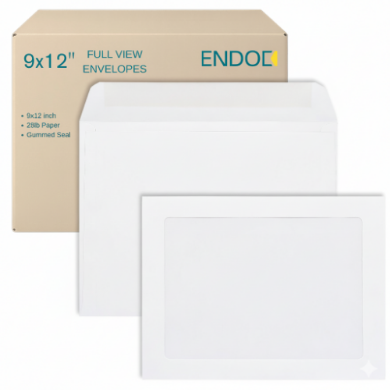
- 9 x 12 Full View: No fold needed, shows up to 7 x 9 3/4 in. of the document face.
#9 Window Envelope (3 7/8 x 8 7/8 inches)
The #9 envelope is slightly smaller than a #10. It is commonly used as a reply envelope inserted inside a #10 outer envelope, but it also comes in window versions used for remittance documents and payment reply forms.
When folding a document for a #9 window envelope, the insert is typically a shorter reply slip, not a full 8.5 x 11 sheet. Verify the address block position on the reply slip against the window before running a batch, as #9 window positions can vary more between envelope styles than #10 windows.
#10 Window Envelope (4 1/8 x 9 1/2 inches)
The #10 is the standard size for US business mail and the most common window envelope. It accepts an 8.5 x 11 sheet folded in thirds. The Z-fold steps above apply directly to this size. The standard window on a #10 envelope is positioned near the bottom-left of the envelope face, so the address on the top portion of your document shows through after folding and inserting.
#11 Window Envelope (4 1/2 x 10 3/8 inches)
The #11 envelope is slightly taller and wider than a #10. It provides extra room for multi-page documents, thicker paper, or inserts alongside the letter, such as a check or a return envelope. When folding an 8.5 x 11 sheet for a #11 window envelope, the fold proportions are similar to a #10, but the added envelope depth means the letter has a little more room to shift after insertion. For high-volume runs, use an inserter guide or a consistent fold jig to keep alignment stable.
#14 Window Envelope (5 x 11 1/2 inches)
The #14 envelope accommodates longer documents and legal-size papers. An 8.5 x 11 sheet fits with room to spare, and an 8.5 x 14 legal-size document can be tri-folded into a #14 envelope.
For window versions of the #14, the address block must be positioned further down on the document to align with the window after folding. The envelope is taller than a #10, which changes where the address panel lands relative to the window opening. Always run a test fold with your specific #14 window style before a large job.
9 x 12 Full View Window Envelope
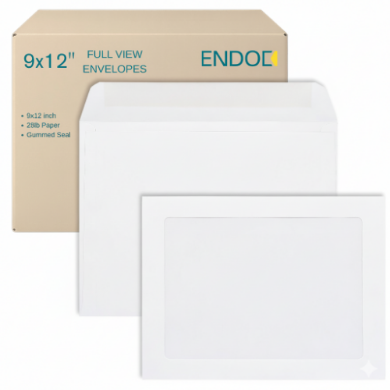
The 9 x 12 full view window envelope has a large clear panel that shows up to 7 x 9 3/4 inches of the enclosed document. Documents going into a 9 x 12 full view envelope are typically not folded at all. The envelope is large enough to hold an unfolded 8.5 x 11 sheet, and the oversized window lets the full letter or document face show through. This size is commonly used when the document itself is a form, certificate, contract, or marketing piece that should not be creased.
Explore the full range of window envelopes available in all sizes to find the style that fits your mail piece and document format.
Where Should the Address Block Be on Your Document?
The correct address position on your document is what makes the Z-fold work. If the address is too high, too low, or too far to one side, the fold will not bring it into the window, no matter how carefully you fold.
Standard Address Position for #10 Window Envelopes
For the most common setup, place the address block starting approximately 2 inches from the top of the 8.5 x 11 page and approximately 1 inch from the left margin. Allow about 3 to 4 inches of horizontal space for the address text, and leave enough vertical space for 4 to 6 lines (name, company, street, city, state, ZIP plus any suite or unit line).
This is a starting point. The exact position depends on your specific window envelope. Measure the window on a physical envelope before finalizing the template, especially if you are switching suppliers or envelope styles.
Setting Up the Address in Microsoft Word
In Microsoft Word, you can position the address block using a text box or by setting specific paragraph indentation and spacing:
- Text box method: Insert a text box positioned 2 inches from the top and 1 inch from the left margin. Type the address inside the text box. Text boxes move independently of the letter body, making alignment adjustments easy without reformatting the whole document.
- Paragraph spacing method: Set the top margin of the document to 2 inches and left-indent the address lines by 1 inch. Add enough space below the address block to separate it from the letter body. This works for simple letters but is harder to adjust precisely.
- Mail merge: For batch jobs, use Word's mail merge to pull address data from a spreadsheet into the text box position. Every document in the batch will have the address in the same exact location, which is essential for consistent fold alignment.
Setting Up the Address in QuickBooks and Accounting Software
Most small business accounting platforms, including QuickBooks, have pre-built invoice templates designed to work with standard #10 window envelopes. The address block for the bill-to customer is automatically positioned in the standard window location when you print. If your invoices are not aligning with your window envelopes after folding, check whether you are using the correct template in the software, whether the printer is scaling the document (always print at 100%, not "fit to page"), and whether your envelopes match the standard #10 window position the template assumes.
For custom invoice layouts or less common software, print a test invoice on plain paper and physically fold and insert it into one of your envelopes before running the real batch.
How to Fold a Letter for a Double Window Envelope
A double window envelope has two clear panels instead of one. The bottom panel shows the recipient's address, and the upper panel shows the return address. This eliminates the need to print a return address on the envelope itself, which saves time and cost in high-volume billing operations.
Folding for a double window envelope requires that both addresses land in their respective windows at the same time. This is more demanding than a single-window fold and requires your document to be formatted precisely.
- Recipient address: Positioned the same as for a standard #10 window envelope, in the top portion of the document that ends up visible through the bottom window after folding.
- Return address: Positioned in the lower portion of the document, in the area that ends up visible through the upper window after folding. The exact vertical position depends on the double window envelope design, as the upper window location varies between styles.
- Document formatting: Billing statements and invoice templates designed for double window envelopes have both addresses pre-positioned. If you are creating a custom layout, measure both windows on a physical envelope and replicate those positions on your document template.
- Test fold: Always run a test fold with one physical envelope before printing an entire batch.
Browse double window envelopes to find styles that match your billing statement and invoice document layouts.
What Goes Wrong with Window Envelope Alignment (and How to Fix It)
Even experienced mail handlers run into alignment problems. These are the most common issues and their fixes. Quick reference:
- Address too high or low: Adjust the first fold position, or move the address block in the document template.
- Address too far left or right: A document formatting issue, not a fold issue. Adjust the left margin or text box position.
- Letter sliding after insertion: Fold more precisely, use a smaller envelope size, or use an inserter machine that settles the piece before sealing.
- Window film wrinkled or hazy: Use envelopes rated for laser-safe use. Check storage conditions (high humidity distorts window film).
- Whole batch misaligned: A template or machine setting issue. Fix the template or inserter fold guide, then run a 10-piece test before the full batch.
Address Too High or Too Low in the Window
If the address appears too high or too low in the window, the fold position is off. A small shift in where you make the first fold changes where the address panel lands relative to the window. To fix this, adjust the first fold slightly and test again. You can also adjust the address block position in the document template by moving it up or down before reprinting.
As a rule of thumb, if the address is sitting too high in the window (cut off at the top), the bottom fold needs to come up slightly higher. If the address is too low and the ZIP code is cut off or missing, the bottom fold needs to be placed slightly lower.
Address Too Far Left or Right
Horizontal misalignment is almost always a document formatting issue, not a folding issue. Folding only affects the vertical position of the address. If the address is too far to one side, adjust the left margin or text box position in your document template and reprint. Check that the printer is not shifting the output by verifying the print at 100% scale and checking that the paper is loading straight in the printer tray.
Address Sliding After Insertion
When the folded letter is loose inside the envelope, it can shift after insertion, moving the address out of the window. This happens more with lighter paper weights, larger envelope sizes, or envelopes that are slightly oversized for the document. Options to prevent shifting include making the fold tighter (fold to the correct third precisely rather than estimating), using an envelope size closer to the document size so there is less room to move, or using an inserter that places the letter firmly before sealing.
Window Film Wrinkling or Clouding
Window film that is wrinkled, fogged, or hazy makes the address harder to read even when alignment is correct. This is usually an issue with lower-quality envelopes or envelopes stored in high humidity. High-quality window envelopes use a clear film that resists wrinkling and distortion, including when run through laser printers or folder-inserter machines that generate heat. If you are seeing window film problems, check whether your envelopes are rated for laser-safe use and whether storage conditions (humidity, temperature) are affecting the film.
Consistent Misalignment Across a Batch
If every piece in a batch has the same alignment problem (all addresses shifted the same direction by the same amount), the issue is in the document template or the fold guide setting on the inserter machine, not in the folding itself. Correct the template position and reprint, or adjust the fold setting on the machine. Do a 10-piece test before rerunning the full batch.
Machine Folding vs Hand Folding for Window Envelopes
Most businesses start by folding letters by hand and move to a folder-inserter machine once volume reaches a point where hand folding is not practical. Both methods work for window envelopes, but they have different requirements.
Folding by Hand
Hand folding works well for batches up to a few hundred pieces. The key to consistent results by hand is using a physical template or guide. Cut a piece of cardstock to 8.5 inches wide and mark the fold lines at the correct thirds, then use that as a guide to align each sheet before creasing. A bone folder (a flat, smooth tool used for paper folding) produces a sharper crease than fingers and reduces handling time for each piece.
Hand folding is also the right choice when you need to inspect each document before insertion, for example when mailing checks where you want to verify the amount on each piece before sealing.
Using a Folder-Inserter Machine
Folder-inserter machines automate folding, inserting, and sealing in one pass. For window envelope use, set the machine to Z-fold mode (sometimes called window fold or accordion fold mode). The machine should be set up to fold at the same position your hand-fold test shows works with your specific envelope and document template. Run 10 to 20 pieces through the machine first and verify alignment on each one before letting the full batch run unattended.
- Most folder-inserter machines have adjustable fold positions. Set them based on the document and envelope you are using, not a generic default.
- Paper weight affects machine feeding. Verify the machine's paper weight range matches your document paper before running a batch.
- If the machine is set to C-fold by default (common for brochure jobs), change the setting to Z-fold before running window envelope mail.
- Security tinted window envelopes run through machines the same as standard window envelopes. The interior security tint does not affect folding or machine settings.
Window Envelope Folding for Common Business Documents
Different business documents have different requirements when folded for window envelopes. Here is a summary before the detail on each type:
- Invoices and billing statements: Most accounting software templates are pre-positioned for standard #10 window envelopes. Always run a test fold before a large billing run.
- Checks and remittance advice: Same Z-fold method, but verify the payee address lands in the window. Consider security-tinted envelopes to protect check details.
- Monthly statements: For multi-page statements, fold all pages together with the address page on the outside of the fold.
- Reply enclosures: Insert remittance (#9) envelopes flat alongside the folded main document. No folding of the reply envelope required.
Invoices and Billing Statements
Invoices are the most common document mailed in window envelopes. Most accounting software generates invoices with the bill-to address already positioned for standard #10 window envelopes. Print a test invoice, fold it using the Z-fold method described above, and insert it into one of your envelopes to confirm alignment before processing a billing run. If the template works, use it consistently. If alignment is off, adjust the template in the software rather than changing how you fold.
Checks and Remittance Advice
Checks are often mailed with a remittance advice slip attached. When folding checks for window envelopes, the fold method is the same, but there are additional considerations. The payee address on the check or remittance advice should be the address that shows through the window. Some check formats have the payee address in the standard location; others do not. Verify before mailing. For security, many businesses use security-tinted window envelopes when mailing checks, so the check amount and routing numbers are not visible through the paper.
Explore security tinted window envelopes for check and payment mailings that require extra privacy protection.
Monthly Statements
Monthly statements for utilities, subscriptions, or financial accounts are typically longer and may include multiple pages. For single-page statements, the Z-fold process is identical to the invoice process above. For multi-page statements, only the top page needs to have the address in the window position. Fold all pages together as a unit, with the address page on the outside of the fold. An inserter machine designed for multi-sheet documents can handle this automatically, collating and folding each statement set before inserting.
Remittance Envelopes and Reply Enclosures
Some business mail includes a remittance envelope for the recipient to mail back a payment or response. The reply envelope is typically a #9 window envelope that is inserted flat (unfolded) inside the outer #10 envelope, with the reply address pre-printed or showing through the #9 window. This requires no folding of the reply envelope itself. Simply insert it as a flat piece alongside the folded statement.
For self-sealing options that simplify the return process for your customers, self-seal envelopes are available in both single-window and standard styles.