

Quick answer: Window envelope address alignment fails for four reasons: wrong fold direction (C-fold instead of Z-fold), too many address lines (over six), document template margins that have shifted, or a non-standard window position on the envelope. Fix it by printing one test document, folding it Z-fold, inserting it, and holding the sealed piece to light. The full address should appear inside the window with at least 1/8 inch of clearance on all four sides. If it does not, the cause is identifiable and fixable before any batch run.
A window envelope that does not show the address correctly is one of the most common mailing workflow problems in billing, invoicing, and payroll operations. It costs time, wastes envelopes, and in a production run, it means returned mail. The problem almost always has a specific, fixable cause rather than a random printing fault. This guide covers every cause of window envelope address misalignment. It explains the standard specifications that define where the address should land, the fold method that puts it there, and the software-specific settings to check for common billing platforms.
For the complete guide to window envelope formats, sizes, and seal types, see Window Envelopes: Complete Guide for Business Mailing.
Standard Window Envelope Dimensions: What Every Billing Operation Should Know
Before troubleshooting any alignment problem, confirm the envelope dimensions. Window envelope address alignment problems often stem from one side of the equation being off , either the document template or the envelope window position.
The standard window on a commercial #10 business envelope is the industry reference point around which all major billing and accounting software builds its document templates.
| Specification | Standard Value |
|---|---|
| Window width x height | 1-1/8 x 4-1/2 inches |
| Distance from left edge | 7/8 inch |
| Distance from bottom edge | 1/2 inch |
| USPS clearance required | Minimum 1/8 inch on all four sides of address block |
| Maximum address lines | Six lines |
| Window film | Clear poly-film, firmly attached |
| Software compatibility | QuickBooks, Xero, FreshBooks, Sage, Word mail merge |
All window envelopes at Business Envelopes use the standard window position above. If your software is using a standard template and your envelopes use this position, alignment should work without any adjustment.
The Four Root Causes of Window Envelope Address Misalignment

Window envelope alignment problems almost always trace to one of four causes. Identifying the right one before making any changes saves significant time.
Cause 1: Wrong fold direction
This is the most common cause and the easiest to fix. A window envelope requires a Z-fold (also called a Z-letter fold). When a document is Z-folded correctly, the address block faces outward through the window when inserted. When a document is C-folded (the standard letter fold where all three panels stack in the same direction), the address faces inward and is invisible through the window.
The fix: fold the bottom third of the document up first, then fold the top third down in the opposite direction. Viewed from the side, the document forms a Z shape. The address block should now face away from you when you hold the folded document in front of you.
Cause 2: Too many address lines
The standard window opening (1-1/8 x 4-1/2 inches) accommodates a maximum of six address lines at standard font sizes. A common four-line address (name, company, street, city-state-ZIP) fits comfortably. When billing software adds optional fields , attention lines, department names, secondary addresses, country lines on domestic mail , the address block grows beyond six lines and the bottom lines are clipped by the bottom edge of the window.
The fix: trim the address template to six lines or fewer. Remove fields that are not required for domestic US mail delivery. The minimum required fields are: recipient name or company, street address or PO Box, and city-state-ZIP code on a single final line.
Cause 3: Document template margin shift
Software updates, printer driver changes, and template migrations can shift document margins without any visible change in the print preview. A margin shift of as little as 1/4 inch moves the address block outside the window zone. This is the cause behind most "it used to work, now it does not" alignment problems.
The fix: check the top and bottom margins in your document template. The address block position on the printed page must correspond to the window position on the envelope after the document is Z-folded and inserted. Print a test on blank paper, fold it correctly, and hold it against the envelope in the correct insertion orientation to see where the address lands relative to the window before sealing anything.
Cause 4: Non-standard window position on the envelope
Not all window envelopes use the standard window position. Envelopes from non-commercial sources, promotional suppliers, or import stock may place the window opening in a different position from the 7/8-from-left, 1/2-from-bottom standard. If a standard software template produces correct output on one envelope brand but not another, the window position on the envelope is the variable.
The fix: verify that your envelope uses the standard window position before ordering in volume. All window envelopes at Business Envelopes use the industry-standard position compatible with standard billing software templates. For a detailed breakdown of window envelope types and formats, see Business Window Envelopes: Types, Sizes and How to Choose.
★★★★★
"They were perfect, and the shipping was Super Fast!!! I will continue to order my company envelopes from your company!! Thanks again!!"
Verified buyer | #10 Tinted White Window Envelopes Gum Flap
Source: businessenvelopes.com product reviews
The Window Alignment Test: Do This Before Every Batch Run
Running a batch of 500 envelopes with a misaligned template is an expensive mistake that takes two minutes to prevent. This test sequence applies to any billing program, any software, and any envelope size.
Pre-batch window alignment test
- 1Print one document from your billing software exactly as it will print in the full batch. Use the same printer, same paper, same template.
- 2Fold the printed document Z-fold: bottom third up first, then top third down in the opposite direction.
- 3Insert the folded document into the envelope. The address should face the front panel of the envelope.
- 4Seal the envelope using your normal method.
- 5Hold the sealed envelope up to a bright light source.
- 6Confirm the full delivery address appears completely inside the window with at least 1/8 inch of clearance on all four sides of the window opening.
- 7Confirm no account number, invoice amount, routing number, or other sensitive data is visible through the envelope body outside the window.
Software-Specific Alignment Fixes
QuickBooks Online: invoice and statement alignment
If your invoice or statement address is not displaying correctly in a window envelope, the quickest fix in QuickBooks Online is:
- Click the Gear icon at the top right.
- Select Custom Form Styles.
- Find your form and click Edit.
- Go to the Design tab.
- Click Edit Print Settings.
- Check the box labeled Fit printed form with pay stub in window envelope.
- Click Done.
This setting repositions the address block to the standard window zone automatically. After applying the setting, run the pre-batch test above before printing any production batch. If the address is still clipped after applying this setting, trim the address to six lines or fewer in your customer records.
For the complete guide to matching the right envelope to your QuickBooks program, see What Size Envelope Do You Need for QuickBooks Checks and Invoices.
QuickBooks Desktop: check and invoice alignment
For printed checks in QuickBooks Desktop where the address does not sit correctly in the double window envelope:
- Go to File, then Printer Setup.
- Select Check/PayCheck from the Form Name list.
- Click Align and use the vertical adjustment grid to move the address block down.
- Print a test on blank paper and hold it against the envelope to verify position before committing.
A vertical adjustment of approximately -33 on the alignment grid resolves the address-too-high problem that affects some QuickBooks Desktop versions after software updates. Test one piece before using this value for your specific setup. For the complete QuickBooks check envelope format guide, see Envelopes for QuickBooks Checks: The Complete Format Guide.
Microsoft Word mail merge
For mail merge documents printed in Word where the address does not align with the window:
- Go to Layout (or Page Layout in older versions).
- Click Margins and select Custom Margins.
- Adjust the top margin to move the address block down on the printed page, or adjust the bottom margin to move it up.
- The delivery address block in a standard tri-fold letter should print in the lower-left area of the page so that after Z-folding, it appears in the lower-left of the visible face panel.
- Use the pre-batch test above to confirm position before printing.
For the complete guide to printing documents that work with window envelopes, see How to Print on Envelopes: The Complete Guide for Laser, Inkjet, and Bulk Office Printing.
Xero, FreshBooks, and other cloud billing platforms
Cloud billing platforms that do not offer a window-envelope-specific print setting require a different approach. The address block position is determined by the template layout. If the address is too high after Z-folding:
- Look for a custom template or PDF export setting that allows margin adjustment.
- Some platforms allow PDF template uploads , use the pre-batch test to identify exactly how many millimeters the address needs to shift, then adjust the template accordingly.
- If the platform does not offer margin control, consider whether a window envelope with a slightly higher window position resolves the issue without template changes. Contact Business Envelopes to confirm window position specs before ordering alternate formats.
Double Window Envelope Alignment: Check and Payroll Programs
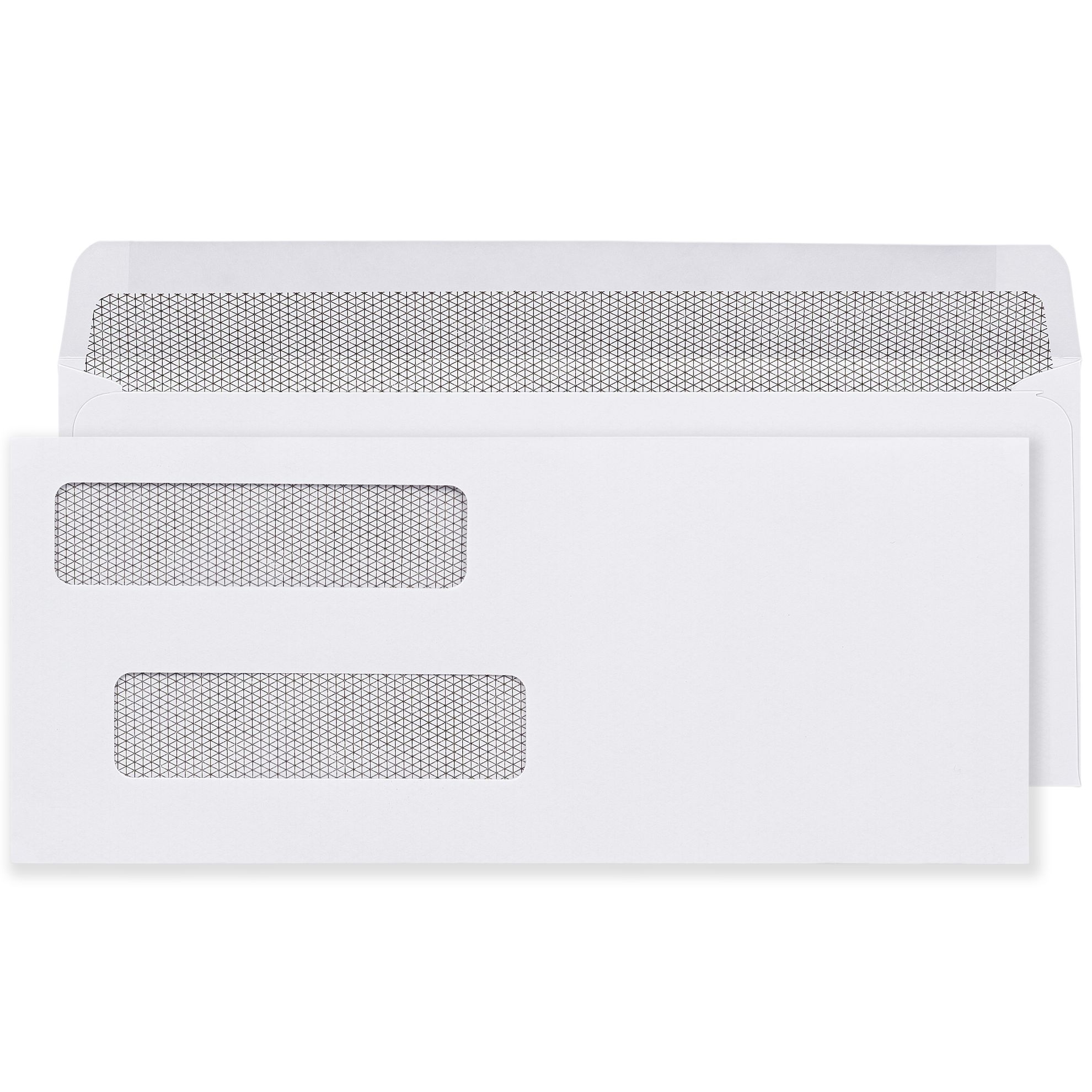
Double window envelopes display two addresses: the recipient's delivery address through the lower window and the sender's return address through the upper window. Both addresses come from the printed check inside, which means alignment depends on the check template in your accounting software , not a folded document.
Double window alignment problems are different from single window invoice alignment problems. When a check is printed and the payee address shows correctly but the return address is clipped, the check form template was designed for a different double window spec than the envelope in use. The same applies in reverse.
| Feature | Single Window (#10 Invoice) | Double Window (Check/Payroll) |
|---|---|---|
| Number of windows | 1 , delivery address only | 2 , delivery + return address |
| Document type | Invoices, statements, letters | Printed checks (voucher format) |
| Fold required | Z-fold mandatory | No fold , check inserted flat |
| Address source | Document address block | Check face , both addresses pre-printed |
| Alignment fix | Adjust template margins or fold direction | Adjust check form template in payroll software |
| Common software | QuickBooks, Xero, Word mail merge | QuickBooks Desktop, Sage, ADP, Paylocity |
See the complete guide to check envelope formats and double window alignment at Double Window Envelope Template in Word: Setup Guide and the full double window range at double window envelopes.
The Six-Line Address Rule Explained
The standard window opening on a #10 envelope (1-1/8 inches tall) accommodates a maximum of six lines of address text at standard billing font sizes. This limit applies to both the delivery address in the lower window and the return address where applicable.
| Line | Content | Required |
|---|---|---|
| Line 1 | Recipient name or ATTN line | Yes |
| Line 2 | Company or organization name | If applicable |
| Line 3 | Street address or PO Box | Yes |
| Line 4 | Suite, unit, or department (if needed) | If applicable |
| Line 5 | City, state abbreviation, ZIP code | Yes , always last line |
| Line 6 | Country (international mail only) | International only |
USPS Requirements for Window Envelope Addresses
Correct window envelope address alignment is not only a practical workflow issue. USPS automated sorting equipment scans addresses through the window using optical character recognition (OCR). A piece that fails to meet USPS window address requirements can be rejected from automation processing, charged a non-machinable surcharge, or returned to sender.
- Address position: The delivery address visible through the window must be no less than 1/2 inch from the left edge of the envelope and no less than 5/8 inch from the bottom edge.
- Window clearance: At least 1/8 inch between the address text and all four edges of the window opening.
- Window film: The poly-film must be clear, firmly attached, and free of glare that would interfere with OCR scanning.
- Barcode clear zone: The lower 5/8 inch across the right side of the envelope face must be clear for USPS barcode printing. No text or design should appear in this zone.
- Address orientation: Address lines must be parallel to the bottom of the envelope. A rotated or angled address block fails OCR.
For the complete size guide covering how #10 window envelope dimensions relate to USPS specifications, see What Size Is a #10 Envelope? The Complete Guide for Business Mailing.
Common Window Envelope Alignment Mistakes
- C-folding instead of Z-folding: The most common cause of a completely invisible address. The document folds are reversed and the address faces away from the window. Always Z-fold documents going into single window envelopes.
- Testing alignment with the envelope open instead of sealed: An open envelope flexes differently than a sealed one. Always run the pre-batch test with a sealed envelope held to light, not an open one held up for visual inspection.
- Assuming the print preview is reliable: Print preview renders on screen at the document's logical size and does not account for printer driver margin shifts. Always test a physical print, not the preview.
- Running a software update without retesting alignment: Software updates can silently shift margin defaults. Any update to billing software, printer drivers, or operating system print settings is a trigger to run the pre-batch test on the first batch after the update.
- Using the same template for single window and double window envelopes: Single window invoice templates are not compatible with double window check envelopes. Each envelope format requires its own document template calibrated to that window position.
- Ordering a large volume before testing: A 500-envelope batch ordered without testing alignment first is a batch that may need to be reordered. Always test a small sample pack before committing to volume.
★★★★★
"Fantastic Envelopes. The self sealing adhesive works fabulously. the tinted option makes it a safe envelope to be used."
Verified buyer | #10 Window Tinted Self-Sealing Envelopes
Source: businessenvelopes.com product reviews
Why Business Envelopes for Window Envelopes

Business Envelopes has supplied window envelopes to US billing departments, payroll operations, healthcare providers, and financial institutions since 1997. Every window envelope in the catalog uses the industry-standard window position (1-1/8 x 4-1/2 inches, 7/8 from left, 1/2 from bottom) that standard billing software is built around. No minimums. Free ground shipping to the contiguous 48 states.
- Standard window position on all formats , compatible with QuickBooks, Xero, Sage, Word mail merge
- Single window, double window, and window with security tint available
- Gum flap, peel-and-seal, and flip-and-stick closures in window formats
- Blank stock ships same or next business day
- Custom printed with your logo and return address , PDF proof before production
- No minimums on any order
Shop the complete window envelope range at window envelopes. For tinted window formats used in billing and healthcare, see #10 Tinted White Window Envelopes Gum Flap and #10 Tinted White Window Self-Sealing Envelopes.